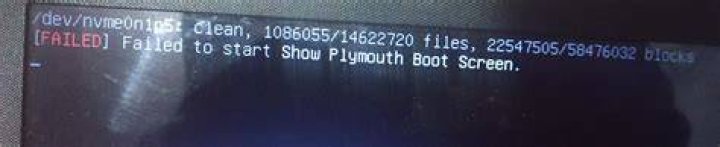
I am not able to boot. It is showing the same error in every boot:

1 Answer
Assuming that this is Ubuntu 20.04...
From the GRUB menu, choose Additional Options, then Recovery Mode, Root Access.
At the # prompt:
mount -o remount,rw / sudo update-alternatives --config default.plymouth 
Choose the ubuntu-logo choice, then repeat the command with the bgrt choice.
sudo update-initramfs -c -k $(uname -r) Then reboot.
4