
To enter a college class I need to execute a JNPL file using the command line (because audio doesn't work from Chrome or Firefox):
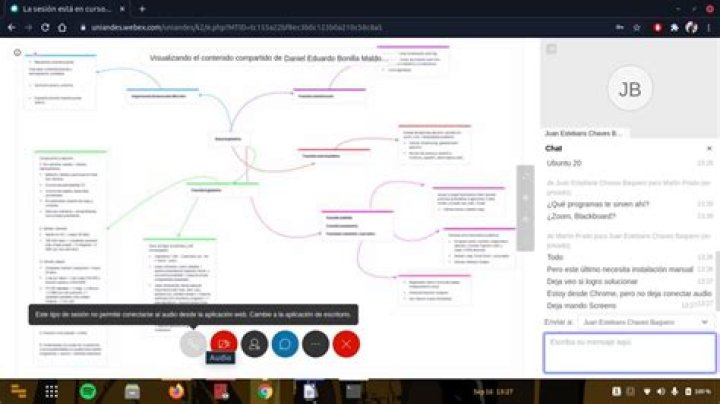
user@computer:~$ sudo javaws '/home/user/Downloads/CiscoWebExServlet' Unfortunally, Instead of getting inside the meeting I get an error:
Evidence is here: Pictures
Also, here is the terminal message when I tried to load the file:
user@computer:~$ sudo javaws '/home/user/Downloads/CiscoWebExServlet' [sudo] password for user: **** selected jre: /usr/lib/jvm/default-java WARNING: package javax.jnlp not in java.desktop Iced Tea is initializing, when It's finally laoded I get the following message in the Terminal:
Unable to use Firefox's proxy settings. Using "DIRECT" as proxy type. sun.misc.Launcher not found. Running jdk9 or higher? Using unsecure BootClassLoader Codebase matches codebase manifest attribute, and application is signed. Continuing. See: for details. Starting application [JDownload] ... Sep 16, 2020 2:01:54 PM JDownload main INFO: Webex java-service JNLP application start... Sep 16, 2020 2:01:54 PM JDownload getCommandLine INFO: Webex java-service JNLP application parameters: aHR0cHM6Ly91bmlhbmRlcy53ZWJleC5jb20vdW5pYW5kZXMvam1mX3dlYi5waHA/QVQ9VEMmY29uZmlkPTE3MjU1OTY1NjQwMTUxMTM1MyZ1aWQ9LTg5ODI5NzEyJmZsYWc9MHwwJmpubHA9MSZlbWFjPVNESlRTd0FBQUFTVkF4bU9KVEUxRFRmX3ZFUkE1SGFWT1QxeDFYLTVUTE96aU5FMUJQQnItQTI=, .webex, T33_TC JDownload version 2020.06.04.4006.0200 Java version: 11.0.8 Java home: /usr/lib/jvm/java-11-openjdk-amd64 OS name: Linux OS arch: amd64 OS version: 5.4.0-47-generic [JDownload]getParameter: pname = ParmArchive return [JDownload]Decode: str= return [JDownload]Java Client Service home: [JDownload]getParameter: pname = GpcProductRoot return .webex [JDownload]Decode: str=.webex return .webex [JDownload]getParameter: pname = GpcProductVersion return T33_TC [JDownload]Decode: str=T33_TC return T33_TC [JDownload]Production home: /root/.webex/T33_TC [utils.CKit]### cache put key=JAPPLET_INST value=JDownload[panel0,0,0,0x0,invalid,layout=java.awt.BorderLayout,rootPane=javax.swing.JRootPane[,0,0,0x0,invalid,layout=javax.swing.JRootPane$RootLayout,alignmentX=0.0,alignmentY=0.0,border=,flags=16777673,maximumSize=,minimumSize=,preferredSize=],rootPaneCheckingEnabled=true] XXX Failed to request URL: Sep 16, 2020 2:01:55 PM JDownload run SEVERE: Failed to download client parameter! utils.JCKit$WbxJCStartError: Failed to download client parameter! at utils.JCKit.initJCKit(JCKit.java:182) at JDownload.initJCKit(JDownload.java:443) at JDownload.run(JDownload.java:239) at (Thread.java:834) Edit #1: Before today, the teacher created the WebEx meeting from the internet browser directly (which worked perfectly), however he had connection issues, so the University itself decided to make a different alternative (which is the one I cannot open from browser directly).
Edit #2: When I close the dialogue from the error I get:
Sep 16, 2020 2:26:08 PM JDownload destroy INFO: destroy. java.lang.Exception: destroy debug at JDownload.destroy(JDownload.java:1137) at JDownload.onAppError(JDownload.java:1343) at JDownload.run(JDownload.java:380) at (Thread.java:834) Sep 16, 2020 2:26:08 PM JDownload destroy INFO: destroy...