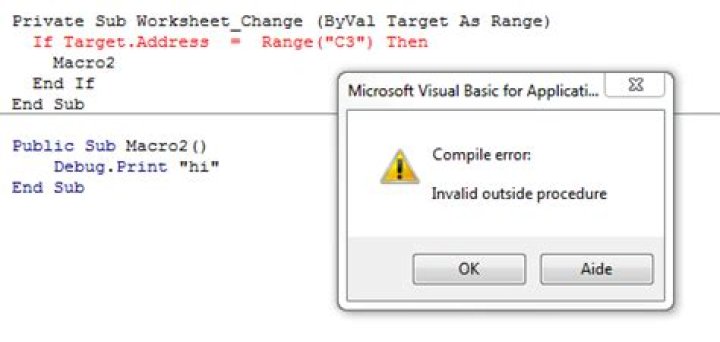
I am trying to create a code that executes a Macro when the value of a cell in a specific sheet is changed. I am using the following code in the Sheet module:
Private Sub Worksheet_Change (ByVal Target As Range) If Target.Address = Range("C3") Then Macro2 End If End Sub However, I am getting an "Expected End of Statement" Error.
Thank you!
83 Answers
If you take the code as it appears in your post (not the rendered code, but the actual characters in the post / edit the question to get there), copy the code from there, and paste it in the VBE, Private Sub Worksheet_Change (plus the weird trailing space) is considered a single word (Ctrl+ArrowLeft or Ctrl+ArrowRight jumping all the way through without any stops, confirms it)
This royally messes up everything, and you get weird compiler and syntax errors:
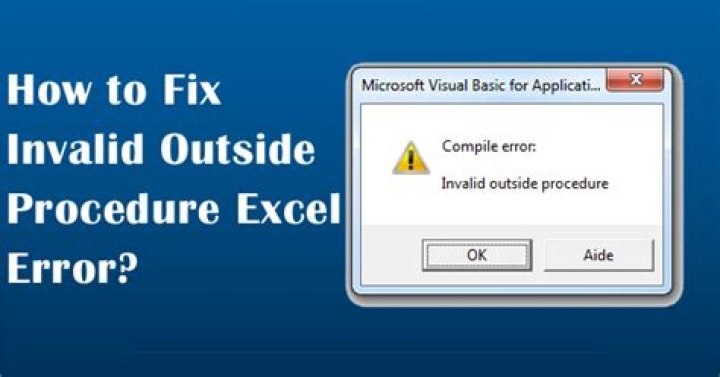
VBA expects tokens to be separated by ASCII code 32 (a plain old whitespace character), but what's between Private, Sub, Worksheet_Change, and the opening ( (and every space after that) looks like a space, but really is a special character often seen on websites and blog posts (e.g. to make code blocks wrap properly) known as a non-breaking space (HTML entity ).
Don't copy-paste code directly from websites (especially blog posts; Stack Overflow is typically fine, unless the post author planted non-breaking spaces purposely). Type it in yourself.
Actually, when event handlers are concerned, don't even type them in yourself - let the VBE create the procedure stub for you, that way you're guaranteed to have the correct signature. Simply select Worksheet from the left-side dropdown at the top of the code pane, then pick Change on the right-side dropdown - the Private Sub Worksheet_Change handler will be added automatically.
target.address returns a string with the address of the range. I think what you are trying to do is to see if target is actually range("C#"). In which case you are better off using Intersect:
If Not Intersect(Target, Range("C3")) Is Nothing Then Essentially you are saying "if the range that experienced the change intersects with Cell C3 (the intersection is not nothing) then"
This is probably the most classic way of using Intersect(Target, Range()):
Private Sub Worksheet_Change(ByVal Target As Range) If Not Intersect(Target, Range("C3")) Is Nothing Then Debug.Print Target.Address End If End Sub However, if for some kind of reason, the .Address is needed, then this works exactly the same way:
Private Sub Worksheet_Change(ByVal Target As Range) If Target.Address = Range("C3").Address Then Debug.Print Target.Address End If End Sub 



