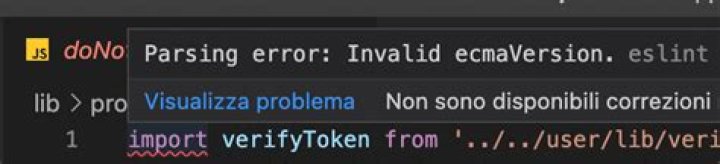

I'm using the eslint 3.18.0 and node 7.7.4. I'm setting the ecmaVersion to 8 (per the documentation), but getting this error: Parsing error: ecmaVersion must be 3, 5, 6, or 7. Is ecmaVersion 8 not supported? If it is why am I getting this parsing error?
Here's the full .eslintrc.json:
{ "env": { "node": true, "mocha": true }, "parserOptions": { "ecmaVersion": 8, "sourceType": "module" }, "extends": "eslint:recommended", "rules": { "semi": ["error", "always"], "quotes": ["error", "single"] } } 3 Answers
ESLint currently supports versions 3, 5, 6 (es2015), 7(es2016) and 8(es2017). If you are having trouble enabling es2017, verify that your ESLint installation is up to date. es2017 was added to ESLint as of v3.6.0 that was released on Sep 23, 2016. Verify global/local version (whichever you are using).
2The ecmaVersion is not valid; I recently installed eslint and ecamVersion was set to 13
"parserOptions": { "ecmaVersion": 13 },
The valid versions are 3 to 12 or latest. I use 'latest' :)
I solved this by doing the following
- Deleted the node-modules directory & package-lock.json
- npm install
- Changed the ecmaScript version in .eslint file
It worked for me.




