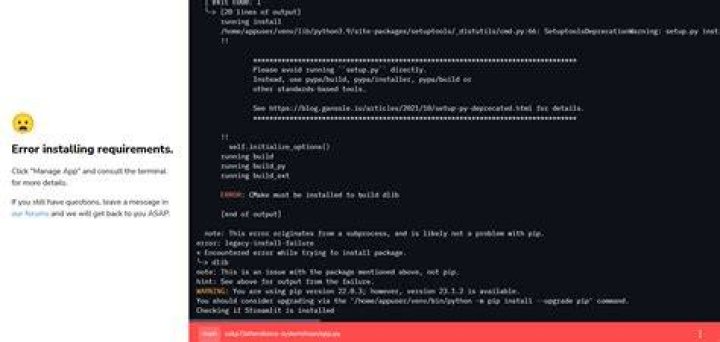

I am trying to install OpenCV 3.0 on my Ubuntu 16.04 (Xenial Xerus), but I always get the following errors. The test also checks for MATLAB. Does OpenCV require MATLAB?
-- Performing Test HAVE_CXX_WMISSING_PROTOTYPES - Failed -- Performing Test HAVE_CXX_WSTRICT_PROTOTYPES - Failed -- Performing Test HAVE_C_WSIGN_PROMO - Failed -- Performing Test HAVE_C_WNO_DELETE_NON_VIRTUAL_DTOR - Failed -- Performing Test HAVE_CXX_WNO_UNNAMED_TYPE_TEMPLATE_ARGS -- Performing Test HAVE_CXX_WNO_UNNAMED_TYPE_TEMPLATE_ARGS - Failed -- Performing Test HAVE_C_WNO_UNNAMED_TYPE_TEMPLATE_ARGS -- Performing Test HAVE_C_WNO_UNNAMED_TYPE_TEMPLATE_ARGS - Failed -- Performing Test HAVE_C_FVISIBILITY_INLINES_HIDDEN - Failed -- Looking for /home/hanfei/anaconda2/include/libpng/png.h - not found -- Performing Test HAVE_CXX_WNO_MISLEADING_INDENTATION - Failed Checking for module 'gstreamer-base-1.0' -- No package 'gstreamer-base-1.0' found -- Checking for module 'gstreamer-video-1.0' -- No package 'gstreamer-video-1.0' found -- Checking for module 'gstreamer-app-1.0' -- No package 'gstreamer-app-1.0' found -- Checking for module 'gstreamer-riff-1.0' -- No package 'gstreamer-riff-1.0' found -- Checking for module 'gstreamer-pbutils-1.0' -- No package 'gstreamer-pbutils-1.0' found -- Checking for module 'gstreamer-base-0.10' -- No package 'gstreamer-base-0.10' found -- Checking for module 'gstreamer-video-0.10' -- No package 'gstreamer-video-0.10' found -- Checking for module 'gstreamer-app-0.10' -- No package 'gstreamer-app-0.10' found -- Checking for module 'gstreamer-riff-0.10' -- No package 'gstreamer-riff-0.10' found -- Checking for module 'gstreamer-pbutils-0.10' -- No package 'gstreamer-pbutils-0.10' found -- Checking for module 'libdc1394-2' -- No package 'libdc1394-2' found -- Checking for module 'libdc1394' -- No package 'libdc1394' found -- Looking for linux/videodev.h -- Looking for linux/videodev.h - not found -- Looking for linux/videodev2.h -- Looking for sys/videoio.h - not found Checking for module 'libavresample' -- No package 'libavresample' found -- Checking for module 'libgphoto2' -- No package 'libgphoto2' found CMake Error at cmake/OpenCVFindIPP.cmake:243 (include): include could not find load file: Could not find OpenBLAS lib. Turning OpenBLAS_FOUND off -- Could NOT find Atlas (missing: Atlas_CLAPACK_INCLUDE_DIR) -- Could NOT find Doxygen (missing: DOXYGEN_EXECUTABLE) - Could NOT find Matlab (missing: MATLAB_MEX_SCRIPT MATLAB_INCLUDE_DIRS MATLAB_ROOT_DIR MATLAB_LIBRARIES MATLAB_LIBRARY_DIRS MATLAB_MEXEXT MATLAB_ARCH MATLAB_BIN) -- VTK is not found. Please set -DVTK_DIR in CMake to VTK build directory, or to VTK install subdirectory with VTKConfig.cmake file 1 Answer
No, it does not require MATLAB. You can use the library from C++ and Python and I think a few other languages too. I was more worried about Atlas and BLAS being missing. These are very important tuned linear algebra libraries that do things like Matrix-Vector products and Matrix factorizations and related operations.
I was worried that Atlas being missing would cause my code to run slow, if at all. So, I poked around and found the file opencv/cmake/OpenCVFindAtlas.cmake. Therein you will see:
58 set(Atlas_INCLUDE_SEARCH_PATHS 59 /usr/include/atlas 60 /usr/include/atlas-base 61 /usr/include 62 $ENV{Atlas_ROOT_DIR} 63 $ENV{Atlas_ROOT_DIR}/include 64 ) 65 66 set(Atlas_LIB_SEARCH_PATHS 67 /usr/lib/atlas 68 /usr/lib/atlas-base 69 $ENV{Atlas_ROOT_DIR} 70 $ENV{Atlas_ROOT_DIR}/lib 71 ) 72 73 find_path(Atlas_CBLAS_INCLUDE_DIR NAMES cblas.h PATHS ${Atlas_INCLUDE_SEARCH_PATHS}) 74 find_path(Atlas_CLAPACK_INCLUDE_DIR NAMES lapacke.h PATHS ${Atlas_INCLUDE_SEARCH_PATHS}) 75 76 find_library(Atlas_CBLAS_LIBRARY NAMES ptcblas_r ptcblas cblas_r cblas PATHS ${Atlas_LIB_SEARCH_PATHS}) 77 find_library(Atlas_BLAS_LIBRARY NAMES atlas_r atlas PATHS ${Atlas_LIB_SEARCH_PATHS}) 78 find_library(Atlas_LAPACK_LIBRARY NAMES lapack alapack_r alapack lapack_atlas PATHS ${Atlas_LIB_SEARCH_PATHS}) Except you won't have what I do on line 61 - I added that. I went to the INCLUDE and LIB search paths and then looked for the headers and libraries it was looking for. I noticed that I didn't have atlas or lapack installed. So I installed lapack as described here. The I installed Atlas with
sudo apt-get install libatlas-base-dev Then when I went to /usr/include I found a directory called atlas-base. Inside I found cblas.h. Unfortunately, lapacke.h wasn't there. That was in /usr/include. So, I added /usr/include to Atlas_INCLUDE_SEARCH_PATHS. Then for the libraries I just verified that at least one of the listed names was in the lib search path. Just note, in case you weren't aware, that libraries (lapack_atlas, for example) will be listed with a preceding 'lib'. So lapack_atlas would be liblapack_atlas.so.
To resolve all of the other errors you see, I would poke around to make sure that paths are set right. But you don't need MATLAB.