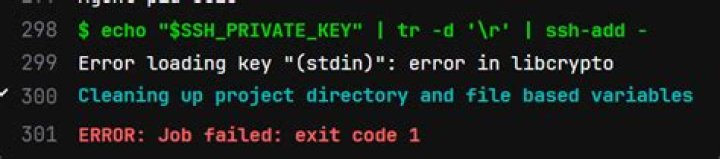

I am going to create automatic deploy to my testing server via SSH in Github Actions. I was created connecting by private key. It's work correctly on local (tested in ubuntu:latest docker image), but when I push my code into repository I got error.
Run ssh -i ~/.ssh/private.key -o "StrictHostKeyChecking no" ***@*** -p *** whoami Warning: Permanently added '[***]:***' (ED25519) to the list of known hosts. Load key "/home/runner/.ssh/private.key": error in libcrypto Permission denied, please try again. Permission denied, please try again. ***@***: Permission denied (publickey,gssapi-keyex,gssapi-with-mic,password). Error: Process completed with exit code 255. My workflow code:
name: Testing deploy on: push: branches: - develop - feature/develop-autodeploy jobs: build: name: Build and deploy runs-on: ubuntu-latest steps: - run: mkdir -p ~/.ssh/ - run: echo "{{ secrets.STAGING_KEY }}" > ~/.ssh/private.key - run: chmod 600 ~/.ssh/private.key - run: ssh -i ~/.ssh/private.key -o "StrictHostKeyChecking no" ${{ secrets.STAGING_USER }}@${{ secrets.STAGING_HOST }} -p ${{ secrets.STAGING_PORT }} whoami I was tried 3rd-hand packages e.g. D3rHase/ssh-command-action and appleboy/ssh-action with another errors.
1 Answer
Resolved. In line, where I making private.key file missing $ character. My bad.
2



