
I’m trying to set up my Surface Book 2 using Ubuntu 20.04.
I first used following commands:
wget -qO - | gpg --dearmor | sudo dd of=/etc/apt/trusted.gpg.d/linux-surface.gpg echo "deb [arch=amd64] release main" | sudo tee /etc/apt/sources.list.d/linux-surface.list sudo apt update sudo apt install linux-image-surface linux-headers-surface iptsd libwacom-surfacei With the last command, I get the following:
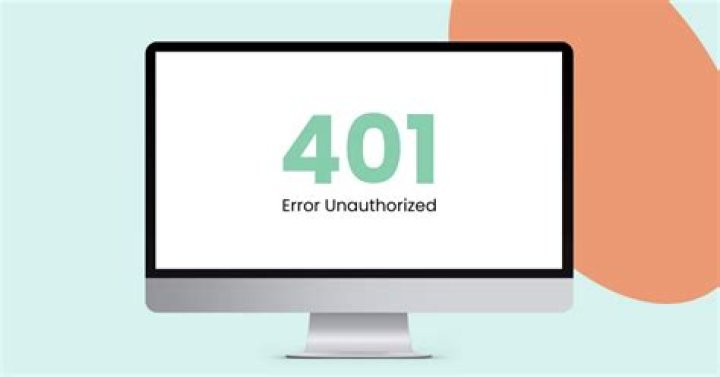
Err:1 release/main amd64 libwacom-surface amd64 1.12-2 401 Unauthorized [IP: 185.199.108.133 443] Err:2 release/main amd64 iptsd amd64 0.5-1 401 Unauthorized [IP: 185.199.108.133 443] Err:3 release/main amd64 linux-headers-surface amd64 5.14.16-surface-1 401 Unauthorized [IP: 185.199.108.133 443] Err:4 release/main amd64 linux-image-5.14.16-surface amd64 5.14.16-surface-1 401 Unauthorized [IP: 185.199.108.133 443] E: Failed to fetch filename=libwacom-surface_1.12-2_amd64.deb&response-content-type=application/octet-stream 401 Unauthorized [IP: 185.199.108.133 443] E: Failed to fetch filename=iptsd_0.5-1_amd64.deb&response-content-type=application/octet-stream 401 Unauthorized [IP: 185.199.108.133 443] E: Failed to fetch filename=linux-headers-surface_5.14.16-surface-1_amd64.deb&response-content-type=application/octet-stream 401 Unauthorized [IP: 185.199.108.133 443] E: Failed to fetch filename=linux-image-5.14.16-surface_5.14.16-surface-1_amd64.deb&response-content-type=application/octet-stream 401 Unauthorized [IP: 185.199.108.133 443] E: Unable to fetch some archives, maybe run apt-get update or try with --fix-missing? I tried setting some archives in sources.list to
and I’m really stuck right now. I also tried
sudo apt-get update sudo apt-get update --fix-missing 3 Answers
Run the following three commands:
sudo add-apt-repository ppa:tj/bugfixes sudo apt-get update sudo apt install apt apt-utils Then try your last command again. It should install correctly.
Taken from this thread linked by @pyoor. The issue seems to be caused by a bug in apt, which is fixed for ubuntu 20.04 in @iam-TJ's package.
1This worked perfectly for my Surface Book 2.
After adding @iam-TJ's package as above, to complete the upgrade:
sudo apt update --fix-missing sudo apt upgrade The last step will do the actual work of performing the installation.
I have tried for the solution, since I am from India, so I tried to remove the "in." eg. "deb focal main restricted" many other lines were also there but we have to target deb .... to deb means we have to remove "in." from all the lines. After that just run the commands below sudo rm -rf /var/lib/apt/lists/* sudo rm -rf /etc/apt/sources.list.d/*
then start apt-get update apt-get upgrade apt-get dist-upgrade & apt autoremove
.............that's it folks & your system upgrades....... IT WORKED FOR ME........ MIGHT HELP YOU ALL TOO......BEST OF LUCK......