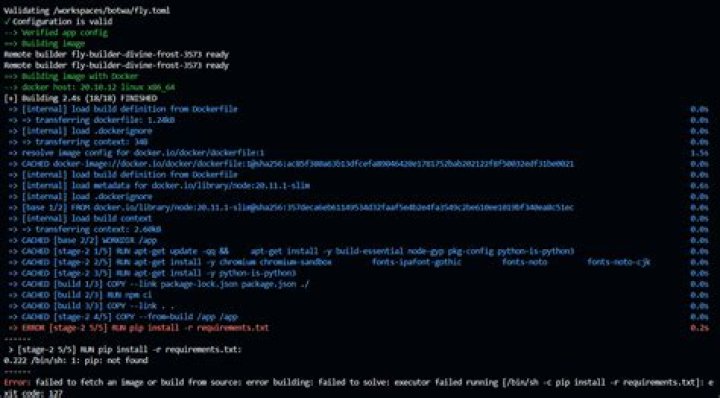

I am unable to locate package python-pip:
Reading package lists... Done Building dependency tree Reading state information... Done E: Unable to locate package python3-pip How can I resolve this problem?
27 Answers
For Ubuntu 18.04 with python 3.6.5 the python-pip package will install after :
sudo add-apt-repository universe sudo apt-get update Which is enabling the category universe
deb bionic main universe deb bionic-security main universe deb bionic-updates main universe Following a clean install of Ubuntu 18.04 (via Vagrant) the following installed successfully with no issues:
sudo apt-get update sudo apt-get install -y python3-pip Note that the Ubuntu 18.04 download today shipped with Python 3.6.8 installed. This may vary by the time of your reading this post.
1First update then install python3-pip.So following two commands should work.
sudo add-apt-repository universe sudo apt-get update sudo apt-get install python3-pip first run sudo apt-get upgrade if you see ppa:some repository example launchpad.net not found or ip not found then go to
softwares&update then unmark repository's causing error then select ubuntu main server then reload and run command
sudo apt-get update sudo apt-get autoremove sudo apt-get autocleanit will delete unwanted existing packages and clear cache then try
sudo apt-get update sudo apt-get install -y python3-pip These commands work for me -
sudo apt-get install python3-setuptools sudo easy_install3 pip This is the old way of installing pip especially useful for the old version of Ubuntu. But still works fine for me.
1you have to clear the unwanted repository's code /etc/apt/sources.list or gedit /etc/apt/sources.list or another option is switch ubuntu mirror see how to change ubuntu mirror
sudo apt-get update; sudo apt-get install python3-pip;
The other way is adding universe category into current sources.list directly:
vi /etc/apt/sources.list Then add universe category at the end of each line:
deb bionic main universe deb bionic-security main universe deb bionic-updates main universe 



