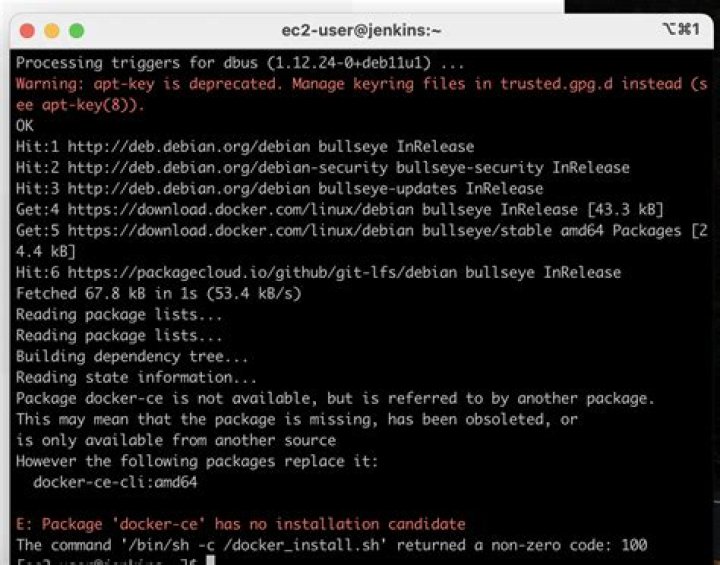

Im fairly new to docker and so im trying to learn more about it using a laravel project, im following this tutorial:
Ive adjusted the Dockerfile a bit from what the tutorial has but even the tutorial file causes the same result.
FROM php:7.3-fpm # Copy composer.lock and composer.json COPY composer.lock composer.json /var/www/ # Install dependencies RUN curl -sL | bash - && \ apt-get update && apt-get install -y mysql-client \ RUN npm install -g npm # Clear cache RUN apt-get clean && rm -rf /var/lib/apt/lists/* # Install extensions RUN docker-php-ext-install pdo pdo_mysql # Install composer RUN curl -sS | php -- --install-dir=/usr/local/bin --filename=composer # Add user for laravel application RUN groupadd -g 1000 www RUN useradd -u 1000 -ms /bin/bash -g www www # Copy existing application directory contents COPY . /var/www # Copy existing application directory permissions COPY --chown=www:www . /var/www # Change current user to www USER www # Set working directory WORKDIR /var/www # Expose port 9000 and start php-fpm server EXPOSE 9000 CMD ["php-fpm"] But i keep getting the following error when i run docker-compose up -d:
E: Package 'mysql-client' has no installation candidate ERROR: Service 'app' failed to build: The command '/bin/sh -c curl -sL | bash - && apt-get update && apt-get install -y mysql-client nodejs build-essential vim git curl' returned a non-zero code: 100 Am i missing something?
I expected this to work since i am running apt-get update before installing mysql-client.
Thanks.
04 Answers
php:7.3-fpm now use Debian 10 (Buster) as its base image and Buster ships with MariaDB, so just replace mysql-client with mariadb-client should fix it.
If you still want to use the mysql client, it's called default-mysql-client now.
php:7.2-apache triggers the error as well, but I resolve it using php:7.2.18-apache
it worked for me: sudo apt-get update && apt-get install -y git curl libmcrypt-dev default-mysql-client
or alternatively apt-cache search mysql-server find out your servers then sudo apt-get install default-mysql-server default-mysql-server-core mariadb-server-10.6 mariadb-server-core-10.6 in my case it was the above codes




