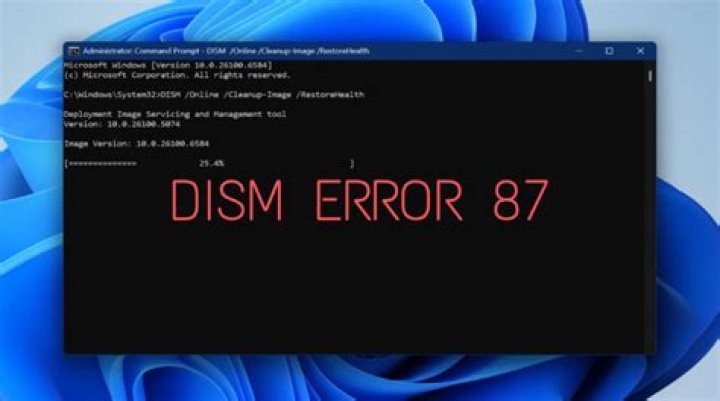
I am attempting to manually install Windows update KB2999226. I have extracted the msu file, but when attempting to install the .cab file through dism, I get the following error.
5 Answers
Check "Windows Modules Installer" Service (TrustedInstaller.exe) is not disabled. It solves my similar problem
3DISM global options are NOT case sensitive.
DISM feature names ARE case sensitive.

I noticed you're doing this online. Is there a particular reason you're using DISM instead of WUSA?
wusa path\to\file.msu /quiet /norestart Error 87 is indeed a parameter problem (verified by net helpmsg 87 and confirmed here) but I'm not seeing specifically what's wrong with the syntax.
Did you copy/paste from the web or manually type it? If the former, try the latter just to be sure it didn't use some strange em-dash type character.
I've never run into a case issue, except when dealing with FeatureNames, so this would be a first. So to appease those who obsess over case (they likely come from a *n?x background ^_^) you could try doing it exactly as Microsoft has it documented and surround it on double quotes just to be sure:
DISM.exe /Online /Add-Package /PackagePath:"C:\tmp\tmp\Windows8.1-kb2999226-x64.cab" Also, just to save us a bit of headache: You sure that's the proper path?
I'm on Windows 10 so the package doesn't apply to me but after pulling the .CAB from the .MSU, the command works just fine:
Try WUSA with the .MSU - you're making more work for yourself.
2Had the same on a 2012 R2 Server, just complete nondescript "parameter is incorrect" on installing .NET 4.6.2. Tried online, offline, DISM (error stating /Add-Package option unknown, as per the OP) and WUSA (error stating certificate invalid) with no luck.
In the end it turned out that the "Software Protection" service was disabled in Services. I enabled this service, and confirmed that the Windows Update service was enabled, and installation succeeded after that. This was on an Amazon EC2 instance, where I think the service was disabled in the AMI that I used to create the instance.
The Problem is that you need a space after "Remove-Package /packagename:Package_for_RollupFix~"BLA_BLA_BLA So the quotes aren't literal here and the BLA_BLA_BLA are just whatever package you need to remove. The big deal is that there is a space after the Remove-Package command and then a "/" and the command option (again the " is not a literal character to include, it is indicating exact characters within the confines of the quotation marks. Windows should identify this as a syntax error but those monkeys just have a generic option doesn't exist error instead.
I encountered the same problem when tried to add language to a Win7PE which was created by WinBuilder, and the problem comes from this image, probably missing some files, and the problem was solved after changing some setting in WinBuilder, hope it can help someone when you download an optimized windows image.
1



