
I'm having my first go at making a Discord bot. The code is very basic, just a bot that logs its own tag into the console upon startup:
const Discord = require("discord.js"); const TOKEN = "REDACTED" const client = new Discord.Client({ intents: ["GUILDS", "GUILD_MESSAGES"] }) client.on("ready", () => { console.log(`Logged in as ${client.user.tag}`) }) client.login(TOKEN) Upon typing node index.js into the VSCode terminal, however, I am given the following error:
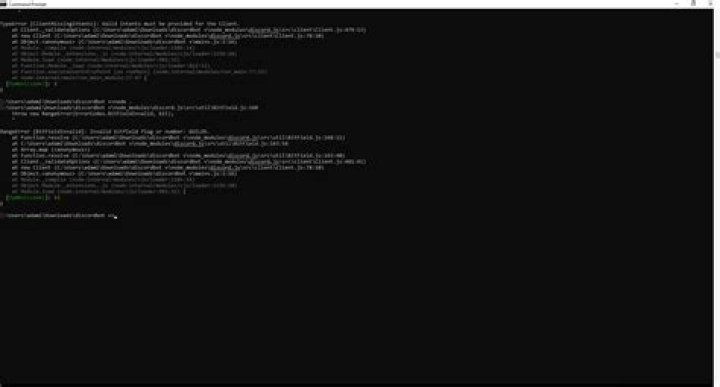
PS C:\Users\15055\Documents\Alt Formatter> node index.js C:\Users\15055\Documents\Alt Formatter\node_modules\discord.js\src\util\BitField.js:168 throw new RangeError(ErrorCodes.BitFieldInvalid, bit); ^ RangeError [BitFieldInvalid]: Invalid bitfield flag or number: GUILDS. at IntentsBitField.resolve (C:\Users\15055\Documents\Alt Formatter\node_modules\discord.js\src\util\BitField.js:168:11) at C:\Users\15055\Documents\Alt Formatter\node_modules\discord.js\src\util\BitField.js:163:54 at Array.map (<anonymous>) at IntentsBitField.resolve (C:\Users\15055\Documents\Alt Formatter\node_modules\discord.js\src\util\BitField.js:163:40) at Client._validateOptions (C:\Users\15055\Documents\Alt Formatter\node_modules\discord.js\src\client\Client.js:481:41) at new Client (C:\Users\15055\Documents\Alt Formatter\node_modules\discord.js\src\client\Client.js:78:10) at Object.<anonymous> (C:\Users\15055\Documents\Alt Formatter\index.js:9:16) at Module._compile (node:internal/modules/cjs/loader:1112:14) at Module._extensions..js (node:internal/modules/cjs/loader:1166:10) at Module.load (node:internal/modules/cjs/loader:988:32) { [Symbol(code)]: 11 } Node.js v18.4.0 I have installed discord.js with the command npm i discord.js so I'm using v14.
3 Answers
In discord.js v14, intent flags are available from GatewayIntentBits.
const { Client, GatewayIntentBits } = require('discord.js'); const client = new Discord.Client({ intents: [ GatewayIntentBits.Guilds, GatewayIntentBits.GuildMessages, ] }) List of changes:
| v12/v13 | v14 |
|---|---|
GUILDS | GatewayIntentBits.Guilds |
GUILD_BANS | GatewayIntentBits.GuildBans |
GUILD_EMOJIS_AND_STICKERS | GatewayIntentBits.GuildEmojisAndStickers |
GUILD_INTEGRATIONS | GatewayIntentBits.GuildIntegrations |
GUILD_INVITES | GatewayIntentBits.GuildInvites |
GUILD_MEMBERS | GatewayIntentBits.GuildMembers |
GUILD_MESSAGE_REACTIONS | GatewayIntentBits.GuildMessageReactions |
GUILD_MESSAGE_TYPING | GatewayIntentBits.GuildMessageTyping |
GUILD_MESSAGES | GatewayIntentBits.GuildMessages |
GUILD_PRESENCES | GatewayIntentBits.GuildPresences |
GUILD_SCHEDULED_EVENTS | GatewayIntentBits.GuildScheduledEvents |
GUILD_VOICE_STATES | GatewayIntentBits.GuildVoiceStates |
GUILD_WEBHOOKS | GatewayIntentBits.GuildWebhooks |
DIRECT_MESSAGES | GatewayIntentBits.DirectMessages |
DIRECT_MESSAGE_TYPING | GatewayIntentBits.DirectMessageTyping |
DIRECT_MESSAGE_REACTIONS | GatewayIntentBits.DirectMessageReactions |
| N/A | GatewayIntentBits.MessageContent |
the solution I've found based on the documentation is :
const { Client, GatewayIntentBits } = require("discord.js"); const client = new Client({ intents: [ GatewayIntentBits.Guilds, GatewayIntentBits.GuildMessages, ]}); Hope it helps
Based on the documentation, you can't use strings for intent names, but you import them from the package, so in your case something like
const Discord = require('discord.js'); const client = new Discord.Client({ intents: [ Discord.Intents.FLAGS.GUILDS, Discord.Intents.FLAGS.GUILD_MESSAGES, ]}); should do the trick.
3



