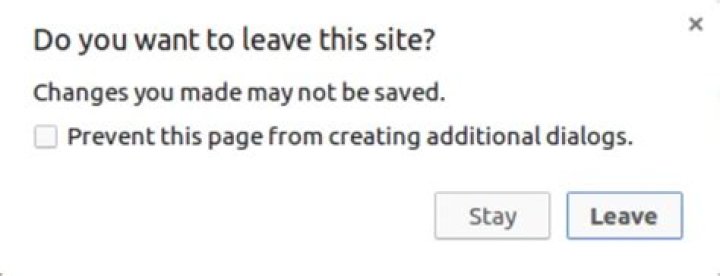
I use the following frontend code to export a .csv document.
HTML
<form method="post" action="export/">{% csrf_token %} <a href="#">DOWNLOAD</a> </form> JS
$('#export-link').click(function(e) { e.preventDefault(); var link = $(this); var form = link.closest('form'); var project_id = proj_id.find(":selected").val(); var input = $('<input>').attr('type', 'hidden').attr('name', 'project_id').val(project_id); form.append($(input)); var project_type = proj_type.val(); input = $('<input>').attr('type', 'hidden').attr('name', 'project_type').val(project_type); form.append($(input)); form.submit(); }); Export works well and I get the correct document. But also I receive the Changes you made may not be saved message after clicking on the export link. How to disable this message? I don't want to see it.

4 Answers
@Dekel helped me to get it.
The message is the beforeunload event. And I can disable it with window.onbeforeunload = null;.
JS
$('#export-link').click(function(e) { window.onbeforeunload = null; e.preventDefault(); var link = $(this); var form = link.closest('form'); var project_id = proj_id.find(":selected").val(); var input = $('<input>').attr('type', 'hidden').attr('name', 'project_id').val(project_id); form.append($(input)); var project_type = proj_type.val(); input = $('<input>').attr('type', 'hidden').attr('name', 'project_type').val(project_type); form.append($(input)); form.submit(); }); In jQuery simply use :
$(window).off('beforeunload'); I've had the same error with embedding Google-Form in Chrome,
I can verify that none of the found solutions helped me. Here is the screenshot of my pop-up:
The only solution I've managed to implement was hiding the element and then unhiding/creating the new iframe with the current embed. Here's the part of my code:
if (oldvalue !== value) { // checks the id of the form (value) is not the same // set value of the id $('#info').text(value); // check the element exists let exists = value; if($("#" + value).length == 0) { //it doesn't exist exists = false; } // hide all child elements of the div for forms parent.children().hide(); // create new node if needed if (!exists) { // create new form element and embed the form $("#google-form").clone().attr("id",value).attr('src', record.url).appendTo(parent); } // unhide error element $("#" + value).show(); } The full code of my solution is here.
I had the same problem.
window.onbeforeunload = function () { // Your Code here return null; // return null to avoid pop up } 



