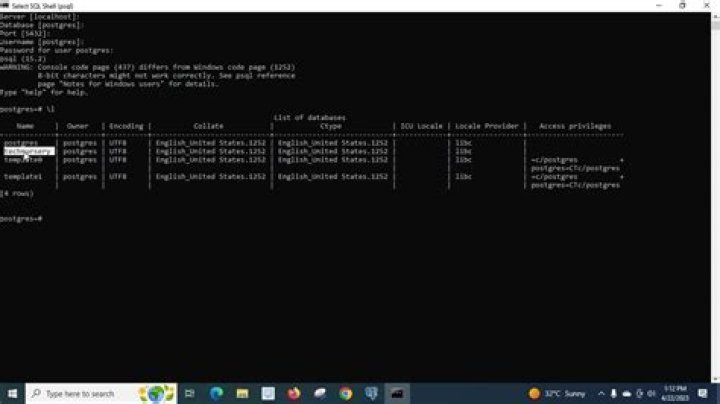

I am trying to create a database from command line. My OS is centos and postgres version is 10.9.
sudo -u postgres psql createdb test Password for user test: Why is it prompting me for the password?
19 Answers
Change the user to postgres :
su - postgres Create User for Postgres (in the shell and NOT with psql)
$ createuser testuser Create Database (same)
$ createdb testdb Acces the postgres Shell
psql ( enter the password for postgressql) Provide the privileges to the postgres user
$ alter user testuser with encrypted password 'qwerty'; $ grant all privileges on database testdb to testuser; Try:
sudo -u postgres psql -c 'create database test;' createdb is a command line utility which you can run from bash and not from psql. To create a database from psql, use the create database statement like so:
create database [databasename]; Note: be sure to always end your SQL statements with ;
As some of the answers point out, createdb is a command line utility that could be used to create database.
Assuming you have a user named dbuser, the following command could be used to create a database and provide access to dbuser:
createdb -h localhost -p 5432 -U dbuser testdb Replace localhost with your correct DB host name, 5432 with correct DB port, and testdb with the database name you want to create.
Now psql could be used to connect to this newly created database:
psql -h localhost -p 5432 -U dbuser -d testdb Tested with createdb and psql versions 9.4.15.
As the default configuration of Postgres, a user called postgres is made and the user postgres has full super admin access to entire PostgreSQL instance running on your OS.
sudo -u postgres psql The above command gets you the psql command line interface in admin mode.
Creating user
sudo -u postgres createuser <username> Creating Database
sudo -u postgres createdb <dbname> NOTE: < > are not to be used while writing command, they are used just to signify the variables
PostgreSQL Create Database - Steps to create database in Postgres.
- Login to server using postgres user.
su - postgres
- Connect to postgresql database.
bash-4.1$ psql psql (12.1) Type "help" for help. postgres=#
- Execute below command to create database.
CREATE DATABASE database_name;
Check for detailed information below:
1PGPORT=5432 PGHOST="my.database.domain.com" PGUSER="postgres" PGDB="mydb" createdb -h $PGHOST -p $PGPORT -U $PGUSER $PGDB With a single command line:
su -c "createuser dbuser;createdb -h localhost -p 5432 -E UTF8 -O dbuser dbname;" - postgres If you are using pgAdmin:
In query editor you can try like this :
CREATE DATABASE <databasename> WITH OWNER = <dbowner> ENCODING = <encoding> CONNECTION LIMIT = <numberofsimulaneousconnections>; an example snippet :
CREATE DATABASE twitterdb WITH OWNER = postgres ENCODING = 'UTF8' CONNECTION LIMIT = -1; 



