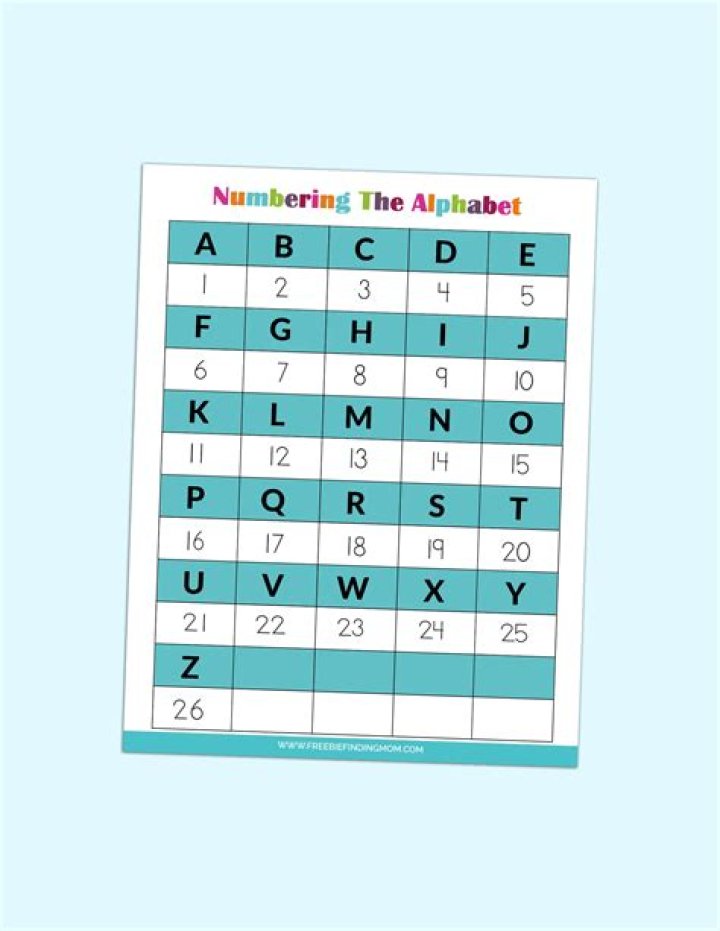

I want to convert a number to its corresponding alphabet letter. For example:
1 = A 2 = B 3 = C Can this be done in javascript without manually creating the array? In php there is a range() function that creates the array automatically. Anything similar in javascript?
26 Answers
Yes, with Number#toString(36) and an adjustment.
var value = 10; document.write((value + 9).toString(36).toUpperCase());You can simply do this without arrays using String.fromCharCode(code) function as letters have consecutive codes. For example: String.fromCharCode(1+64) gives you 'A', String.fromCharCode(2+64) gives you 'B', and so on.
Snippet below turns the characters in the alphabet to work like numerical system
1 = A
2 = B
...
26 = Z
27 = AA
28 = AB
...
78 = BZ
79 = CA
80 = CB
var alphabet = "ABCDEFGHIJKLMNOPQRSTUVWXYZ" var result = "" function printToLetter(number){ var charIndex = number % alphabet.length var quotient = number/alphabet.length if(charIndex-1 == -1){ charIndex = alphabet.length quotient--; } result = alphabet.charAt(charIndex-1) + result; if(quotient>=1){ printToLetter(parseInt(quotient)); }else{ console.log(result) result = "" } } I created this function to save characters when printing but had to scrap it since I don't want to handle improper words that may eventually form
1Just increment letterIndex from 0 (A) to 25 (Z)
const letterIndex = 0 const letter = String.fromCharCode(letterIndex + 'A'.charCodeAt(0)) console.log(letter) UPDATE (5/2/22): After I needed this code in a second project, I decided to enhance the below answer and turn it into a ready to use NPM library called alphanumeric-encoder. If you don't want to build your own solution to this problem, go check out the library!
I built the following solution as an enhancement to @esantos's answer.
The first function defines a valid lookup encoding dictionary. Here, I used all 26 letters of the English alphabet, but the following will work just as well: "ABCDEFG", "ABCDEFGHIJKLMNOPQRSTUVWXYZ0123456789", "GFEDCBA". Using one of these dictionaries will result in converting your base 10 number into a base dictionary.length number with appropriately encoded digits. The only restriction is that each of the characters in the dictionary must be unique.
function getDictionary() { return validateDictionary("ABCDEFGHIJKLMNOPQRSTUVWXYZ") function validateDictionary(dictionary) { for (let i = 0; i < dictionary.length; i++) { if(dictionary.indexOf(dictionary[i]) !== dictionary.lastIndexOf(dictionary[i])) { console.log('Error: The dictionary in use has at least one repeating symbol:', dictionary[i]) return undefined } } return dictionary } } We can now use this dictionary to encode our base 10 number.
function numberToEncodedLetter(number) { //Takes any number and converts it into a base (dictionary length) letter combo. 0 corresponds to an empty string. //It converts any numerical entry into a positive integer. if (isNaN(number)) {return undefined} number = Math.abs(Math.floor(number)) const dictionary = getDictionary() let index = number % dictionary.length let quotient = number / dictionary.length let result if (number <= dictionary.length) {return numToLetter(number)} //Number is within single digit bounds of our encoding letter alphabet if (quotient >= 1) { //This number was bigger than our dictionary, recursively perform this function until we're done if (index === 0) {quotient--} //Accounts for the edge case of the last letter in the dictionary string result = numberToEncodedLetter(quotient) } if (index === 0) {index = dictionary.length} //Accounts for the edge case of the final letter; avoids getting an empty string return result + numToLetter(index) function numToLetter(number) { //Takes a letter between 0 and max letter length and returns the corresponding letter if (number > dictionary.length || number < 0) {return undefined} if (number === 0) { return '' } else { return dictionary.slice(number - 1, number) } } } An encoded set of letters is great, but it's kind of useless to computers if I can't convert it back to a base 10 number.
function encodedLetterToNumber(encoded) { //Takes any number encoded with the provided encode dictionary const dictionary = getDictionary() let result = 0 let index = 0 for (let i = 1; i <= encoded.length; i++) { index = dictionary.search(encoded.slice(i - 1, i)) + 1 if (index === 0) {return undefined} //Attempted to find a letter that wasn't encoded in the dictionary result = result + index * Math.pow(dictionary.length, (encoded.length - i)) } return result } Now to test it out:
console.log(numberToEncodedLetter(4)) //D console.log(numberToEncodedLetter(52)) //AZ console.log(encodedLetterToNumber("BZ")) //78 console.log(encodedLetterToNumber("AAC")) //705 UPDATE
You can also use this function to take that short name format you have and return it to an index-based format.
function shortNameToIndex(shortName) { //Takes the short name (e.g. F6, AA47) and converts to base indecies ({6, 6}, {27, 47}) if (shortName.length < 2) {return undefined} //Must be at least one letter and one number if (!isNaN(shortName.slice(0, 1))) {return undefined} //If first character isn't a letter, it's incorrectly formatted let letterPart = '' let numberPart= '' let splitComplete = false let index = 1 do { const character = shortName.slice(index - 1, index) if (!isNaN(character)) {splitComplete = true} if (splitComplete && isNaN(character)) { //More letters existed after the numbers. Invalid formatting. return undefined } else if (splitComplete && !isNaN(character)) { //Number part numberPart = numberPart.concat(character) } else { //Letter part letterPart = letterPart.concat(character) } index++ } while (index <= shortName.length) numberPart = parseInt(numberPart) letterPart = encodedLetterToNumber(letterPart) return {xIndex: numberPart, yIndex: letterPart} } this can help you
static readonly string[] Columns_Lettre = new[] { "A", "B", "C"}; public static string IndexToColumn(int index) { if (index <= 0) throw new IndexOutOfRangeException("index must be a positive number"); if (index < 4) return Columns_Lettre[index - 1]; else return index.ToString(); } 



