
I am trying to run the code from this repository . The instructions to install the python environment are as follows
Create a python environment and install dependencies: conda env create -f tf14.yml
Activate the environment: source activate tf14
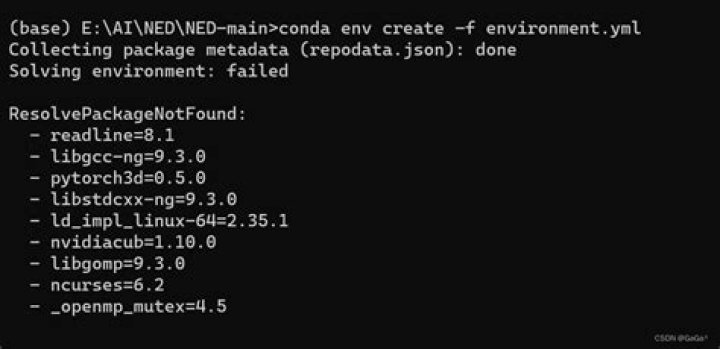
However, I get the following error message when running conda env create -f tf14.yml inside the root directory.
(base) kong@kong-Standard:~/causal-infogan$ conda env create -f tf14.yml Collecting package metadata (repodata.json): done Solving environment: failed ResolvePackageNotFound: - pycparser==2.18=py35_0 - gstreamer==1.8.0=0 - markupsafe==0.23=py35_2 - pyparsing==2.1.4=py35_0 - libgcc==5.2.0=0 - libpng==1.6.27=0 - ipython==5.1.0=py35_0 - libgpuarray==0.6.2=0 - pillow==4.2.1=py35_0 - pbr==1.10.0=py35_0 - cffi==1.10.0=py35_0 - glib==2.43.0=1 - sip==4.18=py35_0 - fontconfig==2.12.1=3 - libtiff==4.0.6=3 - libxcb==1.12=0 - dbus==1.10.10=0 - path.py==8.2.1=py35_0 - wcwidth==0.1.7=py35_0 - matplotlib==2.0.2=np112py35_0 - pygments==2.1.3=py35_0 - libxml2==2.9.2=0 - openblas==0.2.19=0 - scikit-learn==0.18.1=np112py35_nomkl_1 - llvmlite==0.16.0=py35_0 - mistune==0.7.3=py35_0 - six==1.10.0=py35_0 - pytz==2016.7=py35_0 - cycler==0.10.0=py35_0 - readline==6.2=2 - ipykernel==4.5.0=py35_0 - jupyter_core==4.2.0=py35_0 - notebook==4.2.3=py35_0 - python==3.5.2=0 - libffi==3.2.1=0 - mkl-service==1.1.2=py35_3 - setuptools==27.2.0=py35_0 - werkzeug==0.11.11=py35_0 - pandas==0.20.1=np112py35_0 - h5py==2.7.0=np112py35_0 - mako==1.0.4=py35_0 - seaborn==0.7.1=py35_0 - simplegeneric==0.8.1=py35_1 - zlib==1.2.8=3 - nbformat==4.1.0=py35_0 - qt==5.6.2=5 - jupyter_client==4.4.0=py35_0 - scipy==0.19.0=np112py35_nomkl_0 - itsdangerous==0.24=py35_0 - flask==0.11.1=py35_0 - jbig==2.1=0 - numba==0.31.0=np112py35_0 - tornado==4.4.2=py35_0 - libiconv==1.14=0 - decorator==4.0.10=py35_0 - traitlets==4.3.1=py35_0 - libgfortran==3.0.0=1 - entrypoints==0.2.2=py35_0 - pickleshare==0.7.4=py35_0 - pyzmq==15.4.0=py35_0 - tk==8.5.18=0 - nomkl==1.0=0 - zeromq==4.1.4=0 - jsonschema==2.5.1=py35_0 - pip==9.0.1=py35_1 - mkl==2017.0.1=0 - hdf5==1.8.17=1 - networkx==1.11=py35_0 - sqlite==3.13.0=0 - ptyprocess==0.5.1=py35_0 - gst-plugins-base==1.8.0=0 - libsodium==1.0.10=0 - pyqt==5.6.0=py35_2 - olefile==0.44=py35_0 - jinja2==2.8=py35_1 - boto==2.48.0=py35_0 - openssl==1.0.2j=0 - nbconvert==4.2.0=py35_0 - numexpr==2.6.2=np112py35_nomkl_0 - pexpect==4.0.1=py35_0 - mock==2.0.0=py35_0 - numpy==1.12.1=py35_nomkl_0 - expat==2.1.0=0 - freetype==2.5.5=1 - ipython_genutils==0.1.0=py35_0 - terminado==0.6=py35_0 - pygpu==0.6.2=py35_0 - python-dateutil==2.5.3=py35_0 - prompt_toolkit==1.0.3=py35_0 - icu==54.1=0 - wheel==0.29.0=py35_0 - jpeg==9b=0 - xz==5.2.2=0 The solution at says to move the packages under the pip section. Is there an automatic way to resolve this instead of manually moving things around everytime a similar issue pops up?