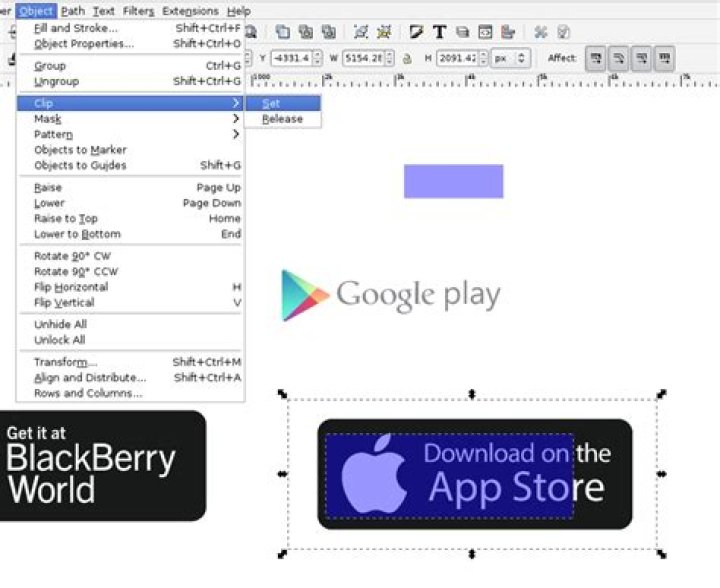
In Inkscape, on OS X, I select two objects, one of which is an intended clipping or cropping mask.
The object that is intended to do the clipping is higher up (above the base .png), I then select Object->Clip->Set and the image disappears, leaving only a blank dotted outline of the clipping shape.
I must be losing my mind. The purple box is on top, and translucent so that it can be aligned before cropping.
Screenshots:
- Before

- After
OS X 10.10.1, XQuartz 2.7.7 (xorg-server 1.15.2), Inkscape 0.48
1 Answer
This is probably a very late answer, but I encountered this problem and managed to solve it. The issue was that Inkscape does not allow you to clip an image using another image. You have to create a shape (such as a rectangle) using Inkscape's shape tools over the object to clip it.




