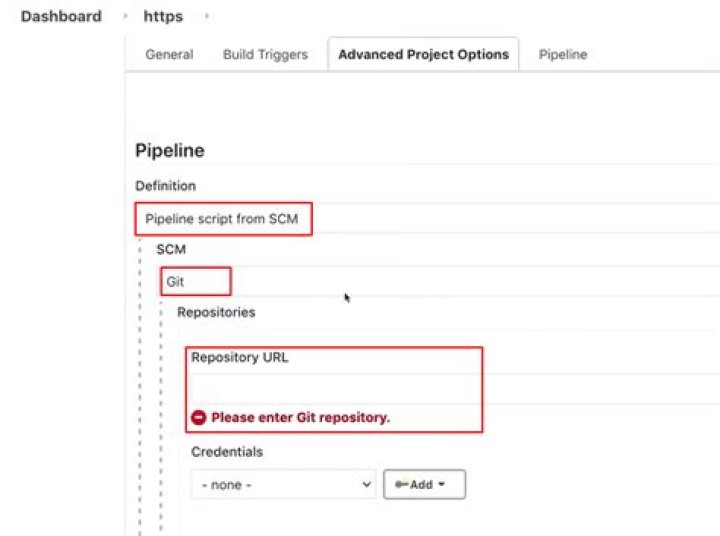

I was following this tutorial:
node { git url: ' ... } However it doesn't tell how to add credentials. Jenkins does have specific "Credentials" section where you define user user&pass, and then get ID for that to use in jobs, but how do I use that in Pipeline instructions?
I tried with:
git([url: ':company/repo.git', branch: 'master', credentialsId: '12345-1234-4696-af25-123455']) no luck:
stderr: Host key verification failed. fatal: Could not read from remote repository. Please make sure you have the correct access rights and the repository exists. Is there a way configure the creds in pipeline, or do I have to put SSH-keys to Jenkin's Linux user's .ssh/authorized_keys file?
In ideal world I'd like to have a repository for pipeline jobs and repo-keys, then launch Docker Jenkins, and dynamically add these jobs and keys there without having to configure anything in Jenkins Console.
6 Answers
You can use the following in a pipeline:
git branch: 'master', credentialsId: '12345-1234-4696-af25-123455', url: 'ssh://:company/repo.git' If you're using the ssh url then your credentials must be username + private key. If you're using the https clone url instead of the ssh one, then your credentials should be username + password.
13To explicitly checkout using a specific credentials
stage('Checkout external proj') { steps { git branch: 'my_specific_branch', credentialsId: 'my_cred_id', url: 'ssh://git@ sh "ls -lat" } } To checkout based on the configured credentials in the current Jenkins Job
stage('Checkout code') { steps { checkout scm } } You can use both of the stages within a single Jenkins file.
6Adding you a quick example using git plugin GitSCM:
checkout([ $class: 'GitSCM', branches: [[name: '*/master']], doGenerateSubmoduleConfigurations: false, extensions: [[$class: 'CleanCheckout']], submoduleCfg: [], userRemoteConfigs: [[credentialsId: '<gitCredentials>', url: '<gitRepoURL>']] ]) in your pipeline
stage('checkout'){ steps{ script{ checkout } } } If you want to use ssh credentials,
git( url: '<repo_name>.git', credentialsId: 'xpc', branch: "${branch}" ) if you want to use username and password credentials, you need to use http clone as @Serban mentioned.
git( url: ' credentialsId: 'xpc', branch: "${branch}" ) For what it's worth adding to the discussion... what I did that ended up helping me... Since the pipeline is run within a workspace within a docker image that is cleaned up each time it runs. I grabbed the credentials needed to perform necessary operations on the repo within my pipeline and stored them in a .netrc file. this allowed me to authorize the git repo operations successfully.
withCredentials([usernamePassword(credentialsId: '<credentials-id>', passwordVariable: 'GIT_PASSWORD', usernameVariable: 'GIT_USERNAME')]) { sh ''' printf "machine github.com\nlogin $GIT_USERNAME\n password $GIT_PASSWORD" >> ~/.netrc // continue script as necessary working with git repo... ''' } It solved for me using
checkout scm: ([ $class: 'GitSCM', userRemoteConfigs: [[credentialsId: '******',url: ${project_url}]], branches: [[name: 'refs/tags/${project_tag}']] ]) 



