
I have this script which compares files in two areas of the disk and copies the latest file over the one with the older modified date.
$filestowatch=get-content C:\H\files-to-watch.txt $adminFiles=dir C:\H\admin\admin -recurse | ? { $fn=$_.FullName; ($filestowatch | % {$fn.contains($_)}) -contains $True} $userFiles=dir C:\H\user\user -recurse | ? { $fn=$_.FullName; ($filestowatch | % {$fn.contains($_)}) -contains $True} foreach($userfile in $userFiles) { $exactadminfile= $adminfiles | ? {$_.Name -eq $userfile.Name} |Select -First 1 $filetext1=[System.IO.File]::ReadAllText($exactadminfile.FullName) $filetext2=[System.IO.File]::ReadAllText($userfile.FullName) $equal = $filetext1 -ceq $filetext2 # case sensitive comparison if ($equal) { Write-Host "Checking == : " $userfile.FullName continue; } if($exactadminfile.LastWriteTime -gt $userfile.LastWriteTime) { Write-Host "Checking != : " $userfile.FullName " >> user" Copy-Item -Path $exactadminfile.FullName -Destination $userfile.FullName -Force } else { Write-Host "Checking != : " $userfile.FullName " >> admin" Copy-Item -Path $userfile.FullName -Destination $exactadminfile.FullName -Force } } Here is the format of files-to-watch.txt
content\less\_light.less content\less\_mixins.less content\less\_variables.less content\font-awesome\variables.less content\font-awesome\mixins.less content\font-awesome\path.less content\font-awesome\core.less I would like to modify this so that it avoids doing this if the file does not exist in both areas and prints a warning message. Can someone tell me how I can check if a file exists using PowerShell?
7 Answers
Just to offer the alternative to the Test-Path cmdlet (since nobody mentioned it):
[System.IO.File]::Exists($path) Does (almost) the same thing as
Test-Path $path -PathType Leaf except no support for wildcard characters
7Use Test-Path:
if (!(Test-Path $exactadminfile) -and !(Test-Path $userfile)) { Write-Warning "$userFile absent from both locations" } Placing the above code in your ForEach loop should do what you want
You want to use Test-Path:
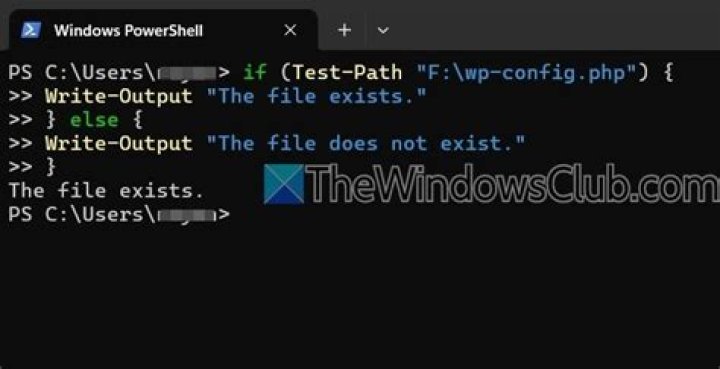
Test-Path <path to file> -PathType Leaf The standard way to see if a file exists is with the Test-Path cmdlet.
Test-Path -path $filename You can use the Test-Path cmd-let. So something like...
if(!(Test-Path [oldLocation]) -and !(Test-Path [newLocation])) { Write-Host "$file doesn't exist in both locations." } cls $exactadminfile = "C:\temp\files\admin" #First folder to check the file $userfile = "C:\temp\files\user" #Second folder to check the file $filenames=Get-Content "C:\temp\files\files-to-watch.txt" #Reading the names of the files to test the existance in one of the above locations foreach ($filename in $filenames) { if (!(Test-Path $exactadminfile\$filename) -and !(Test-Path $userfile\$filename)) { #if the file is not there in either of the folder Write-Warning "$filename absent from both locations" } else { Write-Host " $filename File is there in one or both Locations" #if file exists there at both locations or at least in one location } } Test-Path may give odd answer. E.g. "Test-Path c:\temp\ -PathType leaf" gives false, but "Test-Path c:\temp* -PathType leaf" gives true. Sad :(




