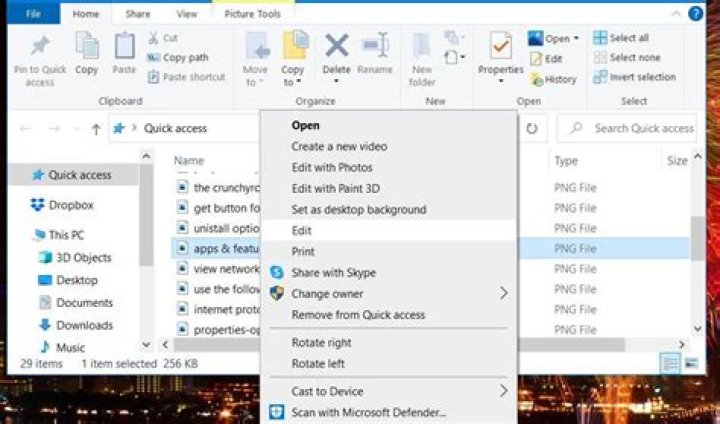

I know how to use RegEdit to change Windows 10 File Explorer "Edit" context menu action for images to any image editors like Paint.net. But I have no idea about how to change it to Windows Store version of Paint.net. I have already tried the value like
"explorer.exe" "shell:appsFolder\dotPDNLLC.paint.net_h55e3w7q8jbva!dotPDNLLC.paint.net %1" But it is not working.
23 Answers
Since the executable itself doesn't seem to be a UWP app, you can launch it with arguments using:
%ProgramFiles%\WindowsApps\dotPDNLLC.paint.net_4.21.6589.0_x64__h55e3w7q8jbva\PaintDotNet.exe %1 The location of the app can be found by typing in PowerShell:
(get-appxpackage dotPDNLLC.paint.net).InstallLocation Note: You might need to take own of the WindowsApps folder. Refer to this answer on how to do it.
10I know this is an old thread, but I found it quite often while searching for the answer.
I have now found the exact registry entries - does not require taking ownership of the windowsapps folder etc.
[HKEY_CLASSES_ROOT\SystemFileAssociations\image\shell\Edit with PAINT.NET] "AppUserModelID"="dotPDNLLC.paint.net_h55e3w7q8jbva!dotPDNLLC.paint.net" "PackageRelativeExecutable"="PaintDotNet.exe" "Parameters"="\"%1\"" "ContractId"="Windows.File" "DesiredInitialViewState"=dword:00000000 "PackageId"="dotPDNLLC.paint.net_4.200.7133.0_x64__h55e3w7q8jbva" [HKEY_CLASSES_ROOT\SystemFileAssociations\image\shell\Edit with PAINT.NET\command] "DelegateExecute"="{BFEC0C93-0B7D-4F2C-B09C-AFFFC4BDAE78}" I just went into HKEY_CLASSES_ROOT\SystemFileAssociations\image\shell, created a key named Edit with PAINT.NET, added another key called command and pasted into the Default value this: "location_of_the_executable" "%1" For me it seems to work, I hope for you too!




