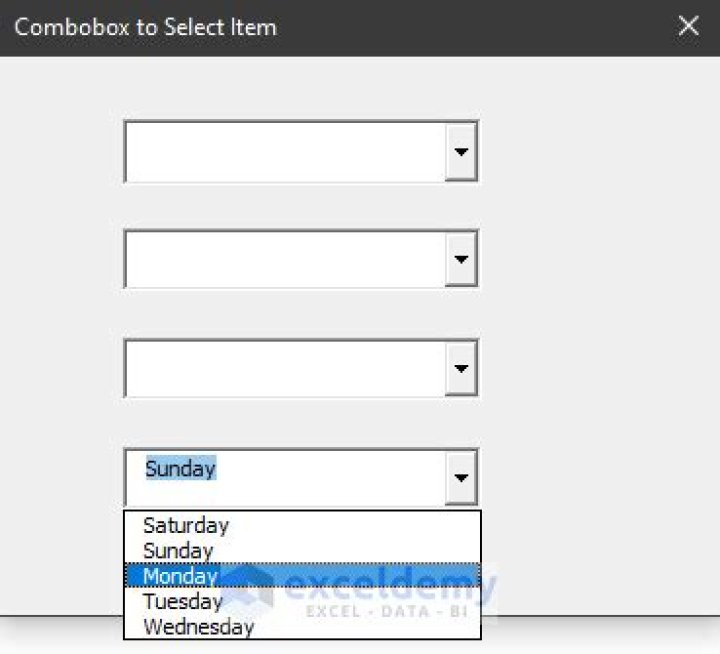

I'm trying to make my c#, wpf application change the value in a textbox accordingly with the value in a combobox using 'IF' statements.
The idea is that if the Gender combobox has 'Male' selected, then the sex.Text should show 'm'. If Gender has 'Female' selected then sex.Text should show 'f'. But unfortunately the sex textbox will show nothing on the first selection. But afterwards, it keeps showing the opposite of what I want it to. E.g when I select female it displays 'm' and vice-verse, as if it's having a case of delayed action.
Here's the event:
private void gender_SelectionChanged(object sender, SelectionChangedEventArgs e) { if (gender.Text == "Male") { sex.Text = "m"; } if (gender.Text == "Female") { sex.Text = "f"; } } Any clue on how to make this work?
I'm guessing this may have something to do with the winforms SelectedIndexChanged event being replaced by the SelectionChanged as it's wpf equivalant.
Clearly I just may not know how to use it.
Help much appreciated.
55 Answers
Okay, I can't add a coment, so here go a suggestion.
Try to get the current value this way:
private void gender_SelectionChanged(object sender, TextChangedEventArgs e) { var currentText = (sender as ComboBox).SelectedItem as string; if (currentText.Equals("Male")) { sex.Text = "m"; } if (currentText.Equals("Female")) { sex.Text = "f"; } } I coded just here, so sorry for any mistyping.
6If you want to write WPF properly, then you really need to learn XAML. You don't need any code to do what you want (except for the data properties of course). You can do it with just a couple of DataTriggers:
<StackPanel> <ComboBox Name="ComboBox" ItemsSource="{Binding Items}" /> <TextBox> <TextBox.Style> <Style> <Style.Triggers> <DataTrigger Binding="{Binding SelectedItem.Text, ElementName=ComboBox}" Value="Male"> <Setter Property="TextBox.Text" Value="m" /> </DataTrigger> <DataTrigger Binding="{Binding SelectedItem.Text, ElementName=ComboBox}" Value="Female"> <Setter Property="TextBox.Text" Value="f" /> </DataTrigger> </Style.Triggers> </Style> </TextBox.Style> </TextBox> </StackPanel> This is of course assuming that you have a collection DependencyProperty to data bind to in the code behind:
public static DependencyProperty ItemsProperty = DependencyProperty.Register("Items", typeof(ObservableCollection<Gender>), typeof(YourWindow)); public ObservableCollection<string> Items { get { return (ObservableCollection<string>)GetValue(ItemsProperty); } set { SetValue(ItemsProperty, value); } } Assuming your items in the ComboBox are just strings, you could use this:
private void gender_SelectionChanged(object sender, SelectionChangedEventArgs e) { sex.Text = gender.SelectedValue.Equals("Male") ? "m" : "f"; } It looks like the Selected-type properties on the ComboBox reflect the new selection when the event fires, but the Text property still reflects the previous selection.
I would change your code to this:
private void gender_SelectionChanged(object sender, SelectionChangedEventArgs e) { if (gender.SelectedValue == "Male") { sex.Text = "m"; } if (gender.SelectedValue == "Female") { sex.Text = "f"; } } I am late to answer, but see the following to get the right coding:
In xaml page:
<ComboBox x:Name="Gender" Grid.Row="0" Grid.Column="1" IsEditable="True" TextBoxBase.TextChanged="Gender_SelectionChanged"/> <TextBox x:Name="Sex" Grid.Row="0" Grid.Column="3"/> In the C# page:
private void Gender_SelectionChanged(object sender, RoutedEventArgs e) { Sex.Text = Gender.Text.ToLower().Substring(0, 1); } Good luck




