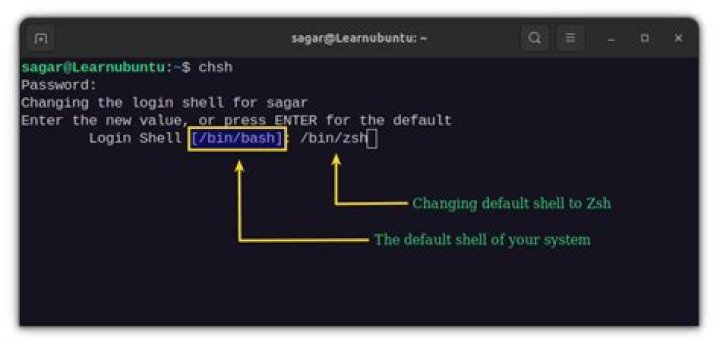

I'm trying to change my default shell in RHEL5 from zsh to bash. I tried to the methods mentioned in this thead. By typing sudo /usr/bin/chsh -s /bin/bash, the system says sudo: /usr/bin/chsh: command not found. But the /usr/bin/chsh is there. Another way I found is to edit /etc/passwd file with my usrid, but it forbids me from editing it. Any suggestions?
2 Answers
Make sure /usr/bin/chsh has execute permissions by running sudo chmod a+x /usr/bin/chsh.
You should be able to run chsh using your own account. Otherwise you'd be setting root's shell. Try the following:
chsh -s $( which bash ) Maybe your default shell is already bash.
To know your default shell on Red Hat:
finger youruser output:
Login: XXXXXXXX Name: XXXXXX XXXXXX Directory: /Home/XXXXXX Shell: /bin/zsh Office: XXXXXX Office Phone: XXXXXXXXXX Home Phone: XXXXXXXXXX ... If the Shell information is not /bin/bash then use ypchfn:
$ ypchsh Changing NIS account information for XXXX on XXXXXXXXX. Please enter password: Changing login shell for XXXX on XXXXXXXXX. To accept the default, simply press return. To use the system's default shell, type the word "none". Login shell [/bin/zsh]: /bin/bash The login shell has been changed on XXXXXXXXX. Check again your default shell:
finger youruser output:
Login: XXXXXXXX Name: XXXXXX XXXXXX Directory: /Home/XXXXXX Shell: /bin/bash Office: XXXXXX Office Phone: XXXXXXXXXX Home Phone: XXXXXXXXXX ... Let me know if it is OK for you... Cheers




