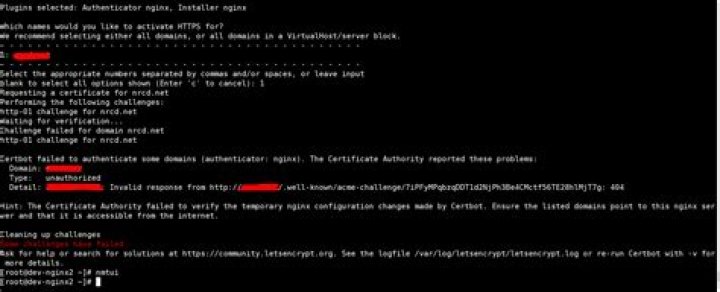

I am trying to generate certificate for my domain. I can ping my domain but still getting error. I have added inbound firewall rule to my digital ocean server to accept port 80 on ipv4 and ipv6 as well. Not sure what is wrong. [Note: my nginx server is not running as I cannot get the certificate]
My domain is:
I ran this command: sudo certbot certonly --staging --webroot -w /root/dt-app-data/ -d 1040nra.com -d
It produced this output:
Obtaining a new certificate Performing the following challenges: http-01 challenge for 1040nra.com http-01 challenge for Using the webroot path /root/dt-app-data for all unmatched domains. Waiting for verification… Cleaning up challenges Failed authorization procedure. 1040nra.com (http-01): urn:ietf:params:acme:error:connection :: The server could not connect to the client to verify the domain :: Fetching Connection refused, (http-01): urn:ietf:params:acme:error:connection :: The server could not connect to the client to verify the domain :: Fetching Connection refused IMPORTANT NOTES: The following errors were reported by the server: Domain: 1040nra.com Type: connection Detail: Fetching Connection refused Domain: Type: connection Detail: Fetching Connection refused To fix these errors, please make sure that your domain name was entered correctly and the DNS A/AAAA record(s) for that domain contain(s) the right IP address. Additionally, please check that your computer has a publicly routable IP address and that no firewalls are preventing the server from communicating with the client. If you’re using the webroot plugin, you should also verify that you are serving files from the webroot path you provided. My web server is (include version): The operating system my web server runs on is (include version): ubuntu 18.04
4 Answers
Make sure ports 80 and 443 are open by running the command below:
sudo ufw status If port 443 is not open, then run the command bellow to allow port 443:
sudo ufw allow https You seem to have solved the problem yourself.
This is because the certbot domain cannot verify the DNS A record.
Make sure your domain address is directed to your server's ip address.
If you made the dns change 'recently', it may take some time to delete the old ip address.
Check here, there should only be one IP address and this should be your server's IP address.
Issue: The issue is your domain might be not pointing to your Cloud host IP and DNS setup
Solution:
- You have to map your domain and IP in-network option tab A
- Once you did the mapping then you have to setup DNS on where you have purchased the domain website.
- Then check by entering your domain name on this web site showing your IP address or not
- If Yes then you create the certificate
- Go to the
- Enter your host name
- You set the type A
- Make sure that there is the same IP everywhere
- You set the type AAAA
- Make sure there are no AAAA entries
AAAA are IPv6 entries.
If the addresses for AAAA are present, make a request to this IPv6 address
#example curl [43ff:0c89:eb10:4c06:c90e:4b7d:64e5:fbe1] curl [your IPv6] If you get an error, then the address does not point to your site. Accordingly, there is a difference between IPv4 and IPv6.
Solution: delete the domain zone type AAAA




