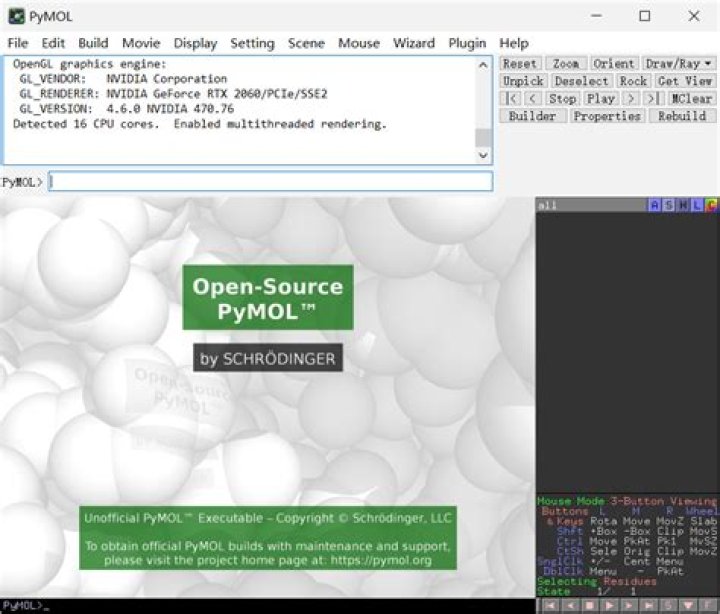

I am following this link to install pymol. I need libfreetype6-dev as a dependency, but it cannot be installed.
fmp@eva03:~/Bins$ sudo apt-get install libfreetype6-dev [sudo] password for fmp: Reading package lists... Done Building dependency tree Reading state information... Done The following packages were automatically installed and are no longer required: linux-headers-4.2.0-23 linux-headers-4.2.0-23-generic linux-image-4.2.0-23-generic linux-image-extra-4.2.0-23-generic Use 'apt-get autoremove' to remove them. The following NEW packages will be installed: libfreetype6-dev 0 upgraded, 1 newly installed, 0 to remove and 0 not upgraded. Need to get 0 B/630 kB of archives. After this operation, 3 672 kB of additional disk space will be used. (Reading database ... 252267 files and directories currently installed.) Preparing to unpack .../libfreetype6-dev_2.5.2-4ubuntu2_amd64.deb ... Unpacking libfreetype6-dev:amd64 (2.5.2-4ubuntu2) ... dpkg: error processing archive /var/cache/apt/archives/libfreetype6-dev_2.5.2-4ubuntu2_amd64.deb (--unpack): trying to overwrite shared '/usr/share/man/man1/freetype-config.1.gz', which is different from other instances of package libfreetype6-dev:amd64 dpkg-deb: error: subprocess paste was killed by signal (Broken pipe) Processing triggers for man-db (2.7.4-1) ... Errors were encountered while processing: /var/cache/apt/archives/libfreetype6-dev_2.5.2-4ubuntu2_amd64.deb E: Sub-process /usr/bin/dpkg returned an error code (1) Here are the final lines trying to install pymol
In file included from /usr/include/freetype2/ft2build.h:37:0, from layer1/TypeFace.cpp:25: /usr/include/freetype2/config/ftheader.h:3:58: fatal error: x86_64-linux-gnu/freetype2/config/ftheader.h: No such file or directory compilation terminated. c++ -pthread -std=c++0x -fPIC -D_PYMOL_LIBPNG -D_PYMOL_INLINE -D_PYMOL_VMD_PLUGINS -D_HAVE_LIBXML -D_PYMOL_FREETYPE -DNO_MMLIBS -D_PYMOL_NUMPY -Iov/src -Ilayer0 -Ilayer1 -Ilayer2 -Ilayer3 -Ilayer4 -Ilayer5 -Imodules/cealign/src -Ibuild/generated -Icontrib/uiuc/plugins/include -Icontrib/uiuc/plugins/molfile_plugin/src -I/usr/lib/python2.7/dist-packages/numpy/core/include -I/usr/include -I/usr/include/freetype2 -I/usr/include/libxml2 -I/usr/include/python2.7 -c layer1/Character.cpp -o build/temp.linux-x86_64-2.7/layer1/Character.o -Wno-write-strings -Wno-unused-function -Wno-char-subscripts -ffast-math -funroll-loops -O3 -fcommon error: command 'c++' failed with exit status 1 1 Answer
OPTION ONE
If you don't need version 1.8 and if you are using Ubuntu 14.04 or newer, you can install version 1.7 through the official Ubuntu repositories. Just run the following commands to install pymol version and pymol dependencies:
sudo apt-get update sudo apt-get install pymol If it still complains about libfreetype6-dev, run the following commands to fix that and then run the above commands again.
sudo apt-get clean sudo apt-get update sudo apt-get purge libfreetype6-dev To search for available packages through apt-get, run the following command like in this example:
apt-cache search pymol To narrow the results to those containing a particular word, use grep like in this example:
apt-cache search pymol | grep pymol To list the available version:
apt-cache show pymol | grep "Version:" To list more info:
apt-cache show pymol OPTION TWO
Alternatively, if you insist on installing the downloaded version, run the following commands to install libfreetype6-dev:
sudo apt-get clean sudo apt-get update sudo mv /usr/share/man/man1/freetype-config.1.gz ~/ sudo apt-get install libfreetype6-dev This will move the manpage file to your home directory so you will have to view the file from there instead of using manpage.