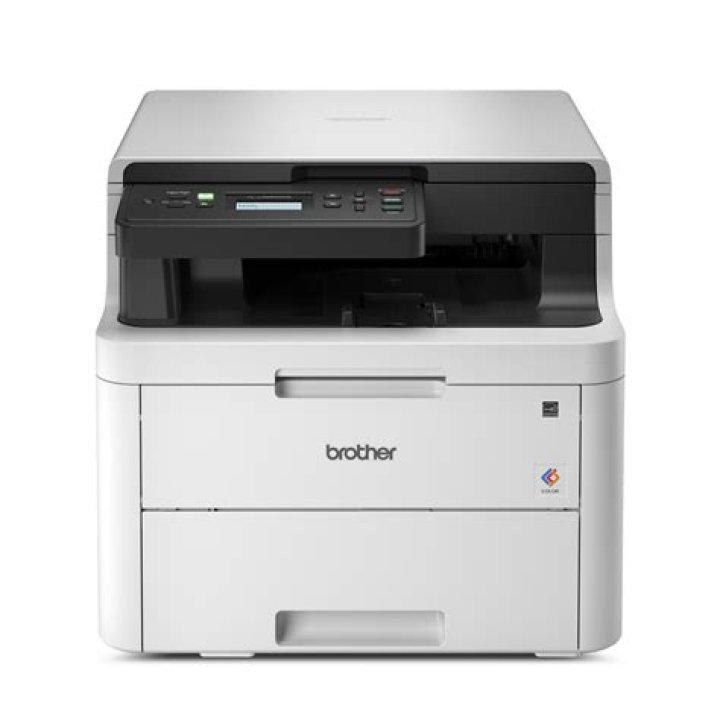

My Brother "all in one" scanner-printer-copier was working fine for months with ubuntu 20.04 via USB cable. I can still use the laser printer, but the first time I try to start a scan, it makes scanner noises for a few seconds and then the scanner program (xsane, gscan2pdf, or simplescan) says
sane_start: Invalid argument On second and succeeding attempts I get
'brother4:bus2;dev1':invalid argument.
I suspect a permissions problem but don't know what exactly. I'm an applications programmer not a systems guy. I don't know how these pieces connect. What I have been able to find out is shown below:
sarg314@ralph: scanimage -L device `brother4:bus2;dev1' is a Brother HL-L3290CDW USB scanner sarg314@ralph:~$ scanimage --test Output format is not set, using pnm as a default. scanimage: open of device brother4:bus2;dev1 failed: Invalid argument lsusb gives
sarg314@ralph:~$ lsusb Bus 004 Device 002: ID 174c:3074 ASMedia Technology Inc. ASM1074 SuperSpeed hub Bus 004 Device 001: ID 1d6b:0003 Linux Foundation 3.0 root hub Bus 003 Device 006: ID 04f9:044a Brother Industries, Ltd Bus 003 Device 004: ID 046d:c064 Logitech, Inc. M110 corded optical mouse (M-B0001) Bus 003 Device 003: ID 05af:8277 Jing-Mold Enterprise Co., Ltd AS2107 Bus 003 Device 002: ID 174c:2074 ASMedia Technology Inc. ASM1074 High-Speed hub Bus 003 Device 001: ID 1d6b:0002 Linux Foundation 2.0 root hub Bus 002 Device 001: ID 1d6b:0003 Linux Foundation 3.0 root hub Bus 001 Device 004: ID 26ce:01a2 ASRock LED Controller Bus 001 Device 003: ID 05e3:0610 Genesys Logic, Inc. 4-port hub Bus 001 Device 002: ID 1058:1021 Western Digital Technologies, Inc. Elements Desktop (WDBAAU) Bus 001 Device 001: ID 1d6b:0002 Linux Foundation 2.0 root hub So scanimage says it is bus2;dev1 and lsusb shows that as "Linux Foundation 3.0 root hub". That doesn't make sense, or am I misinterpretting this?
root@ralph:/home/sarg314# sane-find-scanner # sane-find-scanner will now attempt to detect your scanner. If the # result is different from what you expected, first make sure your # scanner is powered up and properly connected to your computer. # No SCSI scanners found. If you expected something different, make sure that # you have loaded a kernel SCSI driver for your SCSI adapter. found USB scanner (vendor=0x04f9 [Brother], product=0x044a [HL-L3290CDW series]) at libusb:003:006 could not fetch string descriptor: Pipe error could not fetch string descriptor: Pipe error # Your USB scanner was (probably) detected. It may or may not be supported by # SANE. Try scanimage -L and read the backend's manpage. Are the pipe errors my problem, or is that an irrelevant issue?
root@ralph:/home/sarg314# ls -l /dev/bus/usb/003 total 0 crw-rw-r-- 1 root root 189, 256 Sep 15 11:03 001 crw-rw-r-- 1 root root 189, 257 Sep 15 11:03 002 crw-rw-r-- 1 root root 189, 258 Sep 15 11:03 003 crw-rw-r-- 1 root root 189, 259 Sep 15 11:03 004 crw-rw-r--+ 1 root lp 189, 261 Sep 15 11:03 006 Should the above command show a separate entry for a scanner device or does it all go through dev 6 on an all-in-one device like this?
root@ralph:/home/sarg314# getfacl /dev/bus/usb/003 getfacl: Removing leading '/' from absolute path names # file: dev/bus/usb/003 # owner: root # group: root user::rwx group::r-x other::r-x Thanks for any suggestions.
11 Answer
Whatever information SANE gets is coming via the Brother scanner driver. It looks like the scanimage -L output is a bit of misinformation.
I do not do non-free drivers but will point you in the direction of a well-regarded and well-proven free one. It is what a user gets by default on Ubuntu 21.04.
First go here and then move on to here. Download and install sane-airscan and ipp-usb. No configuration required. Just plug in. Scanning should be immediately available.
I would be interested in the outputs from scanimage -L and airscan-discover. It will help other users.