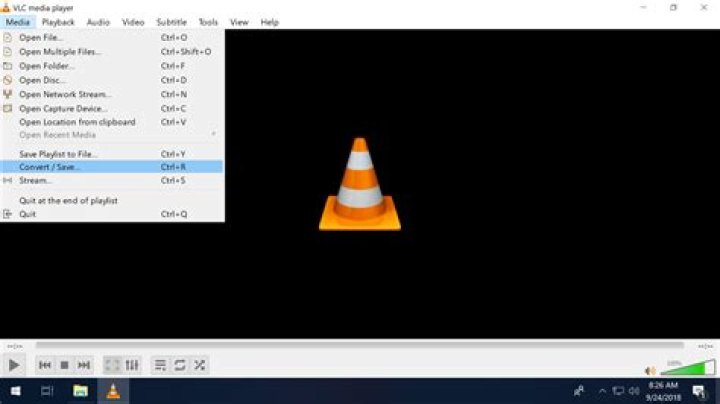

I have been working and researching this question for much of the day. I found some online advice and changed an FFMPEG preference (strict conversion to -2) and added an AAC output option. I was able to convert a FLAC file to AAC. But, the file will not play on my iPad. It just says "Loading" and never completes loading.
I am on Arch Linux 64-bit. My vlc is version 2.2.2
The videolan wiki says converting audio to AAC is supported, but gives no real details. Is this even possible?
12 Answers
Well, the very short answer to the originally asked question is: Yes, you can use vlc on Linux to convert an audio file encoded with AAC in an MP4 container, that should be able to be played on iOS devices. (I have no iOS device handy to actually test that though.)
Here is a step by step tutorial on how to use vlc for audio file conversions. Note however that in order to use the AAC encoding you probably have to first set the "forced strictness" FFmpeg option to -2 as described here. Unless that is, the FFmpeg version you are using is new enough, then setting the forced strictness option should no longer be necessary.
But having a file in the correct format that is supported on an iOS device, is only one step to actually getting it to play on said device.
The file still needs to be added to the device's database for it to actually be playable.
The method officially supported by Apple is to add the audio files to the itunes library on the PC and then sync said library to the iOS device, as is described here.
In fact even PCM and mp3 audio files should be supported on iOS devices so probably a conversion to aac isn't even necessary.
Getting audio files onto an iOS from a Linux system seems to be quite tricky.
The most reliable way to get audio files onto your iPad and play them, might be to use a cloud service like dropbox, as described here.
4Ok, the answer is that, yes, the file can be created with vlc on Linux as a perfectly good m4a file that should be playable on iTunes on an iPad or iPhone. However, the file can only be transferred to iTunes on iOS from an iTunes Mac or Windows host, according to Apple Support. I do not own such a system.
Thanks to LN2, I installed vlc for iOS on my iPad. I can store the m4a file on Google Drive and copy it from there to vlc on the iPad, where it plays just fine.
So, while this is not a total solution, it is a good, usable workaround.




