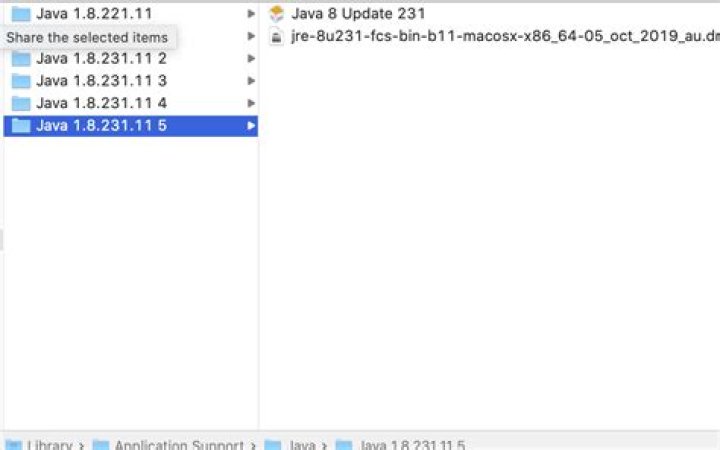
Can I delete the Java folders from Users/me/Library/Application Support?
They are taking up 1GB of space.
Note: I have applications that use Java so I don't want to remove these folders if other applications need them.

UPDATE Jan, 2021:
I deleted the files from before (or let Java installer delete them and everything seems to work) but now I went to check the folder again (much later) I now see this:
Is it OK to delete these as well? Java updater did fail multiple times in the past in its update process but was successful recently.
I'm guessing these are the new folders it created after the failed past attempts.
Can I delete them as well?
31 Answer
Unless you explicitly require the support of multiple versions of java or if you are a developer and this is a requirement, you can just keep the last version, as default when Java updates it ADDs a new version and keeps the old one to some extent, it doesn't necessarily uninstall/delete all of the older version related files, so yes, it should be safe for you to delete them, especially because they are all subversions of 1.8 and it is extremely unlikely you would have compatibility issues between versions (if you have java 1.5 and java 1.8 for example, compatibility issues would be extremely more likely if there happen to be any). Regardless, you machine, unless setup with specific exceptions, will only use 1 java version, usually controlled by environment variables / registry so you shouldn't need to worry about what applications need what, just check you current working version by typing:
java -version on your terminal and get rid of the other versions.
1



