
So i have put myself into some serious trouble. In may this year, i used the premade virtual machines running Mac OS X Snow Leopard, and ran this on my PC (Windows 7). There was no trouble at all, then.
Now i have moved on to Windows 8, and noted that i couldn't start my virtual Mac. So i thought i'd just install W7 again and run it from there (note, it's still the very same physical machine and W7 is running directly on the physical machine)
It seems like im not gonna be able to start the virtual machine, unfortunately. Now i own a physical Mac, and only need to access the VM to grab a couple of files. Could i browse the VMDK somehow to access my files? I'm really starting to freak out here, i really need those files...
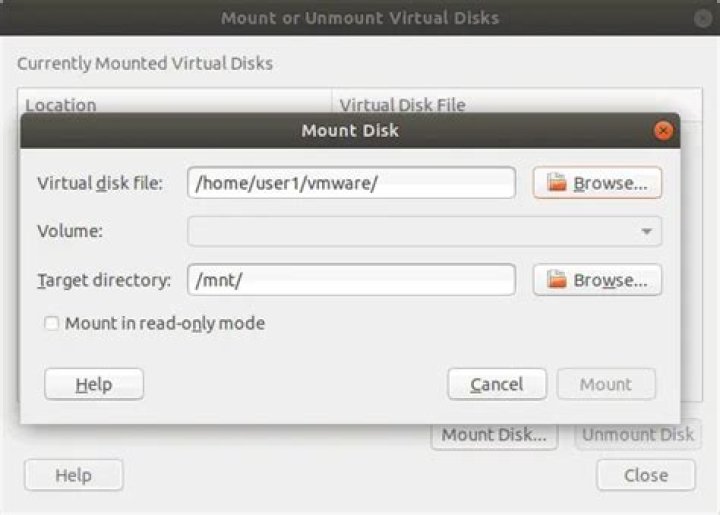
I have tried VMWare's own tool for mounting VMDK-s but it wouldn't install, neither on W8 nor W7.
The problem that occurs when i try to boot up the VM, "The guest operating system is not Mac OS X Server".
12 Answers
I'm not sure why the VM won't start as-is ("The guest operating system is not Mac OS X Server" implies the VM itself is misconfigured or corrupt). If you can't fix that then perhaps you could create a new VM and once that is working attach the old VMDK (or a copy of it) as an extra virtual disk: that way the new guest OS will be able to see the drive and hopefully its data so you can use that route to read the data and transfer it on your Mac box.
(you may need to hand-edit the VM configuration file (.vmx) to attach the disk: IIRC VMWare Player does not have an interface to do this)
3I would convert the image to raw (.img) and open it up with a good archiver like WinRAR - it should be able to see the contents (if not, your mac probably could mount it and get them off too).
I actually am not sure how to do this with VMware, but the Virtualbox way should work on a .vmdk (which does mean you would need to install VirtualBox first.
Using Windows
Navigate to C:\Program Files\Oracle\Virtualbox\ (this may be Program Files (x86) for you).
cd "C:\Program Files\Oracle\Virtualbox\" Use the command: VBoxManage.exe internalcommands converttoraw input.vmdk output.img
From there, you should be able to mount the img somewhere and read from it (if Windows cannot read it due to the formatting then try the mac.




