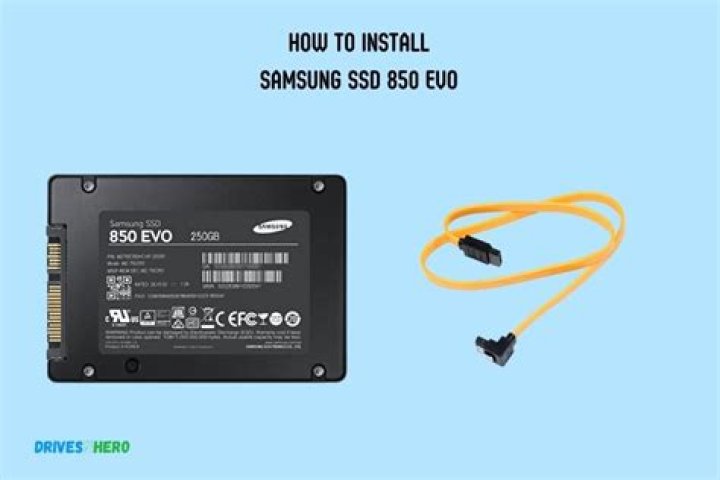

I recently decided to revitalise my old Asus K75VM laptop (± 7years old now) by switching from the original (broken) HDD to a Samsung 850 EVO SSD, and I'm at a loss.
I've been trying to install Windows 10 on it (legal version, from bootable usb, clean install), but it doesn't seem to work, no matter what I try. Here's what I've done so far (with no success):
- used the included software (Samsung Magician, Samsung Data Transfer) to copy everything from the intenal hdd to the ssd and then switching them out (no bootable device detected)
- formatted the ssd (gpt by default) without creating any new volumes (no bootable device detected)
- formatted the ssd (gpt by default) with a single primary partition (ntfs, no volume letter, same result)
- formatted the ssd (gpt by default) with multiple partitions (same result)
- formatted the ssd from the Windows 10 installer (can delete and create partitions, but not use any of those partitions to install Windows 10 on, got a message that the device should be formatted with gpt insteqd of mbr, which was already the case)
- formatted the ssd to mbr with no partitions created (no bootable device found)
- formatted the ssd to mbr with a single primary partition (ntfs, no volume letter, same result)
- formatted the ssd to mbr with multiple partitions created (same result)
- fromatting the ssd from the Windows 10 installer doesn't work
I've also tried switching the ssd to the other slot (the latpot has 2 internal hard drive slots, for more info: Asus K75VM specs) and when in the second slot, I got it to work once, but after I tried to install it in the primary slot every other attempt, no matter which slot, it failed (contacted Asus about this and they said it matters which slot you put it in and the ssd (used as primary drive) should be inserted in the laptops primary slot and an optional additional hard drive can be inserted in the secondary slot).
How can I install Windows 10 on this ssd? It should be compatible with my laptop, but I'm barely familiar with ports, connectors and motherboards and such, so I wouldn't know.
If you know what I'm doing wrong and know the proper way to do this, please be as detailed as possible (step by step (how to format, how many partitions to make, ...), if possible), so I can get this laptop back up and running again.
So many thanks to whoever can help me out.
58 Answers
I have SOLVED this issue after spending 5 hours troubleshooting this and I am a professional IT tech with 15 years experience. I have the benefit of having an 840 Evo (no issues at all) and alternate computers, flash drives and windows versions to troubleshoot with. I have determined that legacy Windows 10 installers are not compatible with the 850 Evo. It requires a UEFI boot installer. This is very irritating. My solution was to clone the 840 Evo to the 850 Evo with Acronis True Image.
From description I think there's some compatibility issue here.
- Make sure you have the latest BIOS version on the laptop. Support lists v. 234 as the latest for windows 8.
- It shouldn't matter which slot SSD is in, but if Asus says it should be in primary bay then that's where it should be.
- Windows works best with UEFI. Unfortunately, I've seen fair share of laptops where it got corrupted. It might be a repair job if update won't fix things.
- Make sure that SATA Operation mode is on AHCI.
You need to convert the disk to GPT disk or you should turn of UEFI boot mode and enable legacy boot mode. from the Windows Setup screen, press Shift+F10 and then type "diskpart" list disk select disk [number] clean convert gpt
I've finally got it to work. This is how I did it:
- converted disk to GPT
- formatted entire disk, no partitions created
- made sure UEFI was enabled (was already the case)
- made sure SATA mode was set to AHCI (was already the case)
- put the SSD back into the "secondary" slot
- booted up laptop from Win10 bootable usb
- installed Windows 10 with little effort
Don't know why it just wouldn't work when the drive is in the other slot though (even though the original HDD was MBR).
Maybe it would be useful: If you have two or more drivers try to turn off all the unnecessary drives for installing system using DiskPart command "offline disk". After that apply "clean" and "convert gpt" commands to the target driver.
I planned to do a clean install of windows 10 with the Samsung ssd 850 EVO. The error message wanted to find drivers and there was no hard drive showing to install the software on.
I spent hours on this and determined that my older dell computer with Bios (and not UEFI) just needed to have the drivers installed on the new Samsung 850 EVO drive before loading windows 10. You can do that by attaching a USB to IED or SATA drive adapter to the new hard drive and plug it into a computer that has windows and it will add the drivers to it. In this case, I used the old windows 7 hard drive on the same dell computer to load the drivers.
The Samsung site says no drivers are needed but this is how I was able to get it to find the hard drive during the windows install. After installing the drivers, Plug the new hard drive back into your slot and start the installation again. I also used a flash drive with windows 10 on it. In the BIOS make sure you have the USB port as the first to boot to see the flash drive With windows 10 loaded on it.
Some of the other statements are true: in BIOS Make sure you the SATA Operation mode is on AHCI.
It didn’t require so many of the other steps that people suggested.
Finally a solution that works!!!
I had to delete the 2nd (large) partition so it became unallocated. then I could install it, but got a warning saying the partitions were not in the recommended order. So I deleted the first partiton too, (128 mb). once I did this, there were 4 partitions! two said unallocated and one said recovery. I clicked the larger unallocated partition, then it started installing windows on it.
You have to disable the other drives in bios make sure you are in UEFI mode in bios and for disc/usb, with newer ssd drives will not work with old MBR was a Crucial drive so unsure why and if you previously made partitions will have to change.




