
1st router.
I can't connect to my wireless router setting page at 192.168.1.1. in chrome it says "ERR_CONNECTION_REFUSED". I didn't have this problem before. this happens to another router too. I'm using a wireless network adapter for wireless connection. I changed my MAC address, used this command: NETSH WINSOCK RESET , restarted PC, refreshed everything using IE settings.
2nd router
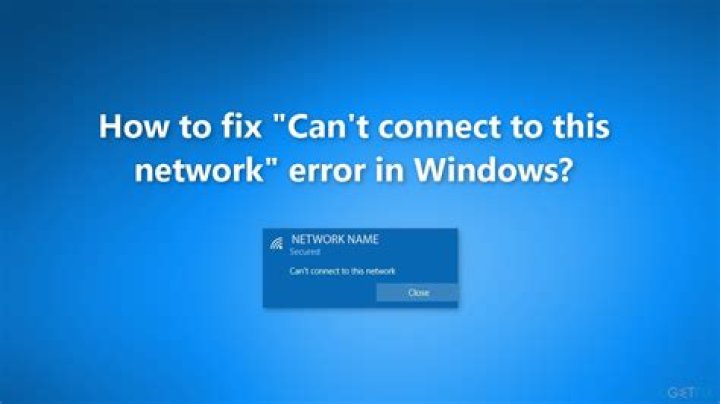
There is another router for my friend that gave me it's password and I used to connect to it successfully but now i can't. I tried everything i could but none of them worked. I'm using Windows 8.1 and the error i get when trying to connect to that router is this: "Can't connect to this network". on this network my friend set up a QOS and set a static Internal IP for my MAC address. I don't know what's wrong with my computer. I also haven't Installed any Windows updates recently.
IP config Output
Microsoft Windows [Version 6.3.9600] (c) 2013 Microsoft Corporation. All rights reserved. C:\Windows\system32>ipconfig/all Windows IP Configuration Host Name . . . . . . . . . . . . : Primary Dns Suffix . . . . . . . : Node Type . . . . . . . . . . . . : Hybrid IP Routing Enabled. . . . . . . . : No WINS Proxy Enabled. . . . . . . . : No DNS Suffix Search List. . . . . . : domain.name Wireless LAN adapter Wi-Fi 2: Connection-specific DNS Suffix . : domain.name Description . . . . . . . . . . . : TP-link Wireless adapter 802.11b/g 54Mbps USB 2.0 Network Adapter Physical Address. . . . . . . . . : 00-C0-BA-3A-4C-5E DHCP Enabled. . . . . . . . . . . : Yes Autoconfiguration Enabled . . . . : Yes Link-local IPv6 Address . . . . . : fe80::1961:9d21:bd7c:fcf3%29(Preferred) IPv4 Address. . . . . . . . . . . : 192.168.1.3(Preferred) Subnet Mask . . . . . . . . . . . : 255.255.255.0 Lease Obtained. . . . . . . . . . : Wednesday, July 1, 2015 5:02:26 PM Lease Expires . . . . . . . . . . : Thursday, July 2, 2015 5:02:25 PM Default Gateway . . . . . . . . . : 192.168.1.1 DHCP Server . . . . . . . . . . . : 192.168.1.1 DHCPv6 IAID . . . . . . . . . . . : 302039242 DHCPv6 Client DUID. . . . . . . . : 00-01-00-01-1C-AC-AF-BC-54-42-49-F6-CF-F9 DNS Servers . . . . . . . . . . . : 8.8.8.8 8.8.4.4 NetBIOS over Tcpip. . . . . . . . : Enabled Ethernet adapter Ethernet 2: Connection-specific DNS Suffix . : Description . . . . . . . . . . . : Intel(R) Ethernet Connection I217-V Physical Address. . . . . . . . . : 74-D0-2B-C5-2D-6F DHCP Enabled. . . . . . . . . . . : No Autoconfiguration Enabled . . . . : Yes Link-local IPv6 Address . . . . . : fe80::9590:b3e4:e8fb:d1f6%8(Preferred) IPv4 Address. . . . . . . . . . . : 192.168.137.1(Preferred) Subnet Mask . . . . . . . . . . . : 255.255.255.0 Default Gateway . . . . . . . . . : DHCPv6 IAID . . . . . . . . . . . : 175427627 DHCPv6 Client DUID. . . . . . . . : 00-01-00-01-1C-AC-AF-BC-54-42-49-F6-CF-F9 DNS Servers . . . . . . . . . . . : 8.8.8.8 NetBIOS over Tcpip. . . . . . . . : Enabled Ethernet adapter Kerio Virtual Network: Connection-specific DNS Suffix . : Description . . . . . . . . . . . : Kerio Virtual Network Adapter Physical Address. . . . . . . . . : 44-45-53-54-4F-53 DHCP Enabled. . . . . . . . . . . : Yes Autoconfiguration Enabled . . . . : Yes Link-local IPv6 Address . . . . . : fe80::14d0:7d29:f86a:4124%14(Preferred) Autoconfiguration IPv4 Address. . : 169.254.65.36(Preferred) Subnet Mask . . . . . . . . . . . : 255.255.0.0 Default Gateway . . . . . . . . . : DHCPv6 IAID . . . . . . . . . . . : 356795731 DHCPv6 Client DUID. . . . . . . . : 00-01-00-01-1C-AC-AF-BC-54-42-49-F6-CF-F9 DNS Servers . . . . . . . . . . . : fec0:0:0:ffff::1%1 fec0:0:0:ffff::2%1 fec0:0:0:ffff::3%1 NetBIOS over Tcpip. . . . . . . . : Disabled Ethernet adapter VMware Network Adapter VMnet1: Connection-specific DNS Suffix . : Description . . . . . . . . . . . : VMware Virtual Ethernet Adapter for VMnet 1 Physical Address. . . . . . . . . : 00-50-56-C0-00-01 DHCP Enabled. . . . . . . . . . . : No Autoconfiguration Enabled . . . . : Yes Link-local IPv6 Address . . . . . : fe80::7128:f9d7:a5bb:72dd%31(Preferred) IPv4 Address. . . . . . . . . . . : 192.168.147.1(Preferred) Subnet Mask . . . . . . . . . . . : 255.255.255.0 Default Gateway . . . . . . . . . : DHCPv6 IAID . . . . . . . . . . . : 486559830 DHCPv6 Client DUID. . . . . . . . : 00-01-00-01-1C-AC-AF-BC-54-42-49-F6-CF- F9 DNS Servers . . . . . . . . . . . : fec0:0:0:ffff::1%1 fec0:0:0:ffff::2%1 fec0:0:0:ffff::3%1 NetBIOS over Tcpip. . . . . . . . : Enabled Ethernet adapter VMware Network Adapter VMnet8: Connection-specific DNS Suffix . : Description . . . . . . . . . . . : VMware Virtual Ethernet Adapter for VMnet8 Physical Address. . . . . . . . . : 00-50-56-C0-00-08 DHCP Enabled. . . . . . . . . . . : No Autoconfiguration Enabled . . . . : Yes Link-local IPv6 Address . . . . . : fe80::c83e:7ac0:4762:fb52%32(Preferred) IPv4 Address. . . . . . . . . . . : 192.168.1.1(Preferred) Subnet Mask . . . . . . . . . . . : 255.255.255.0 Default Gateway . . . . . . . . . : DHCPv6 IAID . . . . . . . . . . . : 838881366 DHCPv6 Client DUID. . . . . . . . : 00-01-00-01-1C-AC-AF-BC-54-42-49-F6-CF-F9 DNS Servers . . . . . . . . . . . : fec0:0:0:ffff::1%1 fec0:0:0:ffff::2%1 fec0:0:0:ffff::3%1 NetBIOS over Tcpip. . . . . . . . : Enabled Tunnel adapter isatap.{6C49020A-98D2-48B0-984D-65C147047475}: Media State . . . . . . . . . . . : Media disconnected Connection-specific DNS Suffix . : Description . . . . . . . . . . . : Microsoft ISATAP Adapter #2 Physical Address. . . . . . . . . : 00-00-00-00-00-00-00-E0 DHCP Enabled. . . . . . . . . . . : No Autoconfiguration Enabled . . . . : Yes Tunnel adapter isatap.{3430FAAF-97F3-410C-97B4-BA1AAFCE1FC3}: Media State . . . . . . . . . . . : Media disconnected Connection-specific DNS Suffix . : Description . . . . . . . . . . . : Microsoft ISATAP Adapter #3 Physical Address. . . . . . . . . : 00-00-00-00-00-00-00-E0 DHCP Enabled. . . . . . . . . . . : No Autoconfiguration Enabled . . . . : Yes Tunnel adapter isatap.{610BCE9C-8DD1-4874-8A4C-2AED8A2CC2AE}: Media State . . . . . . . . . . . : Media disconnected Connection-specific DNS Suffix . : Description . . . . . . . . . . . : Microsoft ISATAP Adapter #4 Physical Address. . . . . . . . . : 00-00-00-00-00-00-00-E0 DHCP Enabled. . . . . . . . . . . : No Autoconfiguration Enabled . . . . : Yes Tunnel adapter isatap.domain.name: Media State . . . . . . . . . . . : Media disconnected Connection-specific DNS Suffix . : domain.name Description . . . . . . . . . . . : Microsoft ISATAP Adapter #5 Physical Address. . . . . . . . . : 00-00-00-00-00-00-00-E0 DHCP Enabled. . . . . . . . . . . : No Autoconfiguration Enabled . . . . : Yes Tunnel adapter isatap.{41B0142F-60AE-48D7-9374-8A164EA54798}: Media State . . . . . . . . . . . : Media disconnected Connection-specific DNS Suffix . : Description . . . . . . . . . . . : Microsoft ISATAP Adapter #6 Physical Address. . . . . . . . . : 00-00-00-00-00-00-00-E0 DHCP Enabled. . . . . . . . . . . : No Autoconfiguration Enabled . . . . : Yes C:\Windows\system32> 2 Answers
1st.
the problem is OS related. It's only my computer that refuses to connect to the router settings, other computers can successfully connect to 192.168.1.1.
2nd.
I found what the problem was, the way router was responding to my connection request even with different devices was weird so that's how i found it. It was about Wireless MAC filtering which gives the router the ability to allow only wireless devices with specific MAC address to connect to it. my friend also confirmed it.
Check whether your VMware Network Adapter is Disabled or not. It may use the dhcp ip-address having range 192.168.0.0/24. Disable it.




