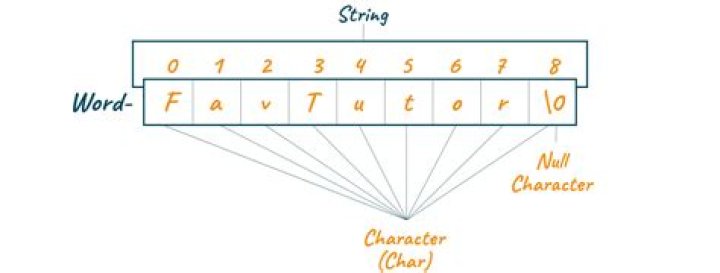

I am a beginner in C# and I would like to know how to convert strings to chars, specifically string[] to char[]. I tried ToCharArray(), but I then I got an error saying that it doesn't exist. Convert.ToChar(<char here>) gives me a error saying
5cannot convert from "char" to "System.Array"
7 Answers
Use:
string str = "Hello"; char[] characters = str.ToCharArray(); If you have a single character string, You can also try
string str = "A"; char character = char.Parse(str); //OR string str = "A"; char character = str.ToCharArray()[0]; For a single string String.ToCharArray should be used
string str = "One"; var charArray = str.ToCharArray(); For an array of strings
string[] arrayStrings = { "One", "Two", "Three" }; var charArrayList = arrayStrings.Select(str => str.ToCharArray()).ToList(); For a single character from a single string:
string str = "One"; var ch = str[0]; // means 'O' A string can be converted to an array of characters by calling the ToCharArray string's method.
var characters = stringValue.ToCharArray(); An object of type string[] is not a string, but an array of strings. You cannot convert an array of strings to an array of characters by just calling a method like ToCharArray. To be more correct there isn't any method in the .NET framework that does this thing. You could however declare an extension method to do this, but this is another discussion.
If your intention is to build an array of the characters that make up the strings you have in your array, you could do so by calling the ToCharArray method on each string of your array.
char[] myChar = theString.ToCharArray(); string[] array = {"USA", "ITLY"}; char[] element1 = array[0].ToCharArray(); // Now for element no 2 char[] element2 = array[1].ToCharArray(); Your question is a bit unclear, but I think you want (requires using System.Linq;):
var result = yourArrayOfStrings.SelectMany(s => s).ToArray(); Another solution is:
var result = string.Concat(yourArrayOfStrings).ToCharArray(); var theString = "TEST"; char[] myChar = theString.ToCharArray(); I tested this in the C# interactive window of Visual Studio 2019 and got:
char[4] { 'T', 'E', 'S', 'T' } 



