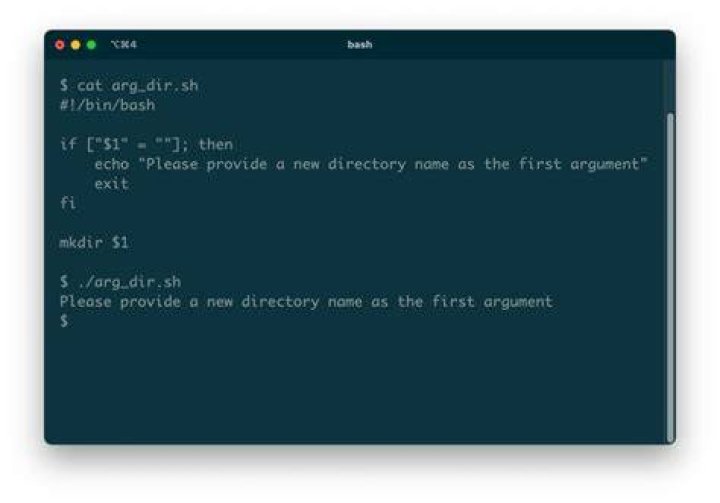

I'm messing around with scripting, I am able to create a script which when run prompts me for a name for a new dir, creates it then creates several files, echoes lines out, then deletes it all.
What I would like to do is morph it slightly so it creates and names the directory all by itself!
Seems a pointless exercise I know, but messing around with it is the best way I learn.
Here is my current script:
#!/bin/bash echo "Give a directory name to create:" read NEW_DIR ORIG_DIR=$(pwd) [[ -d $NEW_DIR ]] && echo $NEW_DIR already exists, aborting && exit mkdir $NEW_DIR cd $NEW_DIR pwd for n in 9 8 7 6 5 4 3 2 1 0 do touch file$n done ls file? for names in file? do echo This file is named $names > $names done cat file? cd $ORIG_DIR rm -rf $NEW_DIR echo "Goodbye" 4 Answers
Instead of using the read command in order to get the value ofNEW_DIR from the input, You can set hard-coded value for the NEW_DIR variable in the following way:
replace the following line in your script:
read NEW_DIR with the following line:
NEW_DIR="new_dir_hard_coded_value" 1Link for more info about bash-scripting-tutorial/bash-variables
If you want a surprise, instead of hardcoding the name you could use a technique to generate a random string, for example
NEW_DIR=$(tr -cd '[:alnum:]' < /dev/urandom | fold -w8 | head -n1) This sets NEW_DIR to a string of eight alphanumeric characters. Every time you run the script, the new directory will have a different random name...
Or to get a random word, pick a dictionary from /usr/share/dict/ and use shuf, for example:
$ shuf -n1 /usr/share/dict/british-english soupier $ shuf -n1 /usr/share/dict/british-english penguins So
NEW_DIR=$(shuf -n1 /usr/share/dict/british-english) mkdir "$NEW_DIR" ... Instead of prompting for user input, you can hardcode values into scripts by using variable assignment operator (=). Thus, the following two lines,
echo "Give a directory name to create:" read NEW_DIR
can be replaced by a single line.
NEW_DIR="whatever_name_you_please"
BTW, I know this is not relevant to the question but in the for loop you used in your script, you can write shorthand code for the range. Instead of 9 8 7 6 5 4 3 2 1 0, you may write it as
for n in {9..0} 1You could even go one step further: You could tell "read" to offer a proposition for the folder name, accept it by pressing return or change it as you like:
read -p "Give a directory name to create: " -ei "default_name" NEW_DIR; this would show a line:
Give a directory name to create: default_name To combine with the above suggestions, you could do the following:
# pre-set NEW_DIR to a value or to any random string # as suggested in the other answers NEW_DIR="default_name" # Prompt for new directory name, suggesting previously selected default answer read -p "Give a directory name to create: " -ei "$NEW_DIR" NEW_DIR; Note that read -p "text" will prompt for the text and ask for the answer in the same line. If you want to stick to your code and have it ask for the 2-line-format you could do
echo "Give a directory name to create:" read -ei "$NEW_DIR" NEW_DIR