I have created a Windows VM in Azure and this VM don't have SQL installed.
However, I see the following compliance issue
SQL servers on machines should have vulnerability findings resolved

How do I fix this compliance issue?
1 Answer
I tried to reproduce the same in my environment I got the results successfully like below:
To Fix this Non- compliance issue:
In your VM -> under setting, Microsoft defender for clouds -> you can see vulnerability finding resolved like below:
Double click on it, SQL servers on machines should have vulnerability findings resolved screen will display like below:
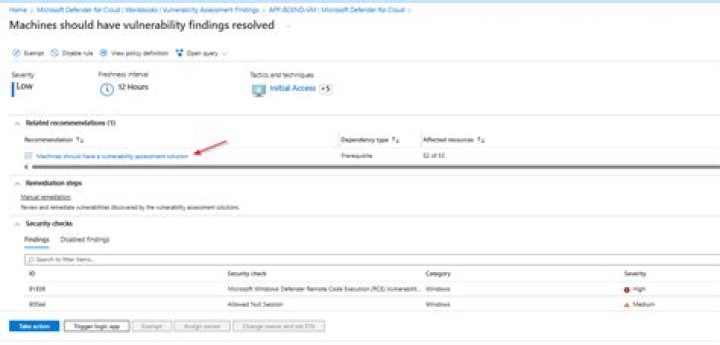
Click on Machines should have vulnerability findings resolved there you have seen description of issue and you can see Remediation steps to fix the issue of your machine like below:
Each recommendation has its own set of instructions. In my case I have unhealthy resource in my machine try check your remediation steps of SQL server in below reference and quick fix.
Reference:
Enable Vulnerability Assessment on SQL Servers with Azure Policy by charbel nemnom
azure-docs/defender-for-sql-on-machines-vulnerability GitHub
Security Control: Remediate Vulnerabilities - Microsoft Community Hub
0



