I have a dmg "winzipmacedition40.dmg". I'm trying to extract dmg from Windows 7. How do do the "extract to" method via the command line?
Result 1
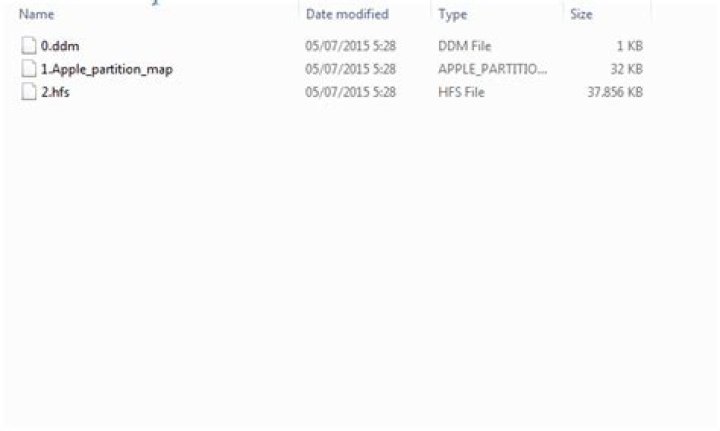
Using right click file -> 7-Zip -> Extract to "winzipmacedition40/"

Result 2
Using the command line:
C:\Tes> 7z x winzipmacedition40.dmg -owinziptes 7-Zip 9.13 beta Copyright (c) 1999-2010 Igor Pavlov 2010-04-15 Processing archive: winzipmacedition40.dmg Extracting 0.ddm Extracting 1.Apple_partition_map Extracting 2.hfs Everything is Ok Files: 3 Size: 38797312 Compressed: 11842778
How do I get the same result from the command line as the GUI interface?
2 Answers
You need to run the extract command again over the 2.hfs file,
$ 7z x file.dmg -oOUTFOLDER $ cd OUTFOLDER $ 7z x 2.hfs 7-Zip [64] 9.20 Copyright (c) 1999-2010 Igor Pavlov 2010-11-18 p7zip Version 9.20 (locale=en_US.utf8,Utf16=on,HugeFiles=on,4 CPUs) Processing archive: 2.hfs Extracting WinZip Extracting WinZip/.background Extracting WinZip/.DS_Store Extracting WinZip/.HFS+ Private Directory Data Extracting WinZip/.Trashes Extracting WinZip/Applications Extracting WinZip/WinZip.app Extracting WinZip/[] Extracting WinZip/.background/backgroundImage.tiff ... The following works for me:
C:\Users\Michael\Desktop>"C:\Program Files\7-Zip\7z" x C:\Users\Michael\Documents\sample1\sample1.zip -oC:\Users\Michael\Documents\sample2\ So use it in this format:
[absolute path to 7z.exe (not 7zFM.exe)] x (indicates extract with directory structure intact, as opposed to e) [path to zip to extract] -o[folder to extract it to]
1



